
So, what exactly are auto dealer website templates? Think of them as pre-built websites, specifically designed for dealerships. They provide the complete foundation you need—from showcasing your cars to capturing customer info—turning a simple online page into your most powerful sales tool. It's the key to creating a digital showroom that's open 24/7.
Your Digital Showroom: Why a Modern Website Template Matters
Imagine your physical showroom, but it never closes and is accessible to every single car buyer in your area. That’s what a modern website does for your dealership. In a world where almost every car purchase starts with a Google search, your site isn't just a nice-to-have; it's the front door to your entire business.

This is where a template built for auto dealers becomes a non-negotiable. It’s not just about looking good. These are specialized blueprints, engineered from the ground up for the unique demands of the car business. A generic website builder just can't keep up.
Engineered for Dealership Success
Let’s use an analogy. A standard website template is like an empty commercial building. Sure, you could try to sell cars out of it, but you'd be missing the service bay, the showroom floor, and the finance offices.
An auto dealer template, on the other hand, is like a purpose-built dealership facility. It comes equipped with all the essentials you need to start moving metal from day one.
These fundamentals include:
- Inventory Management Systems: Built to let you easily upload, update, and display your entire stock of new and used vehicles.
- Lead Capture Forms: Placed strategically to prompt visitors to book a test drive, ask for a quote, or get pre-approved for financing.
- Vehicle Detail Pages (VDPs): These are rich, detailed layouts designed for showing off photos, specs, and features for every car, creating an immersive shopping experience right from the couch.
The whole point is this: the right template turns your website from a passive online brochure into an active, high-performance sales engine. It works around the clock to build trust and bring in leads long before a customer ever sets foot on your lot.
A professional and responsive website is the cornerstone of modern automotive sales. It builds immediate trust, showcases your inventory effectively, and guides potential buyers from casual browsing to serious inquiries.
The Competitive Advantage
In the cutthroat world of car sales, a strong online presence is a massive advantage. Studies show that the vast majority of car shoppers begin their journey online. With thousands of dealerships in the US all fighting for attention, many are still stuck with clunky, outdated sites. They're missing out on a significant number of buyers who prefer to handle more of the purchase process digitally.
Ultimately, picking the right website template is one of the most important marketing decisions you'll make. It’s the foundation of your digital strategy and directly impacts your ability to attract and convert today's car buyers.
For independent dealerships who need an all-in-one solution, platforms like AutoFire provide a modern SaaS alternative to get a high-performing site up and running fast.
The Must-Have Features of a High-Converting Template
Looks are one thing, but a website template that actually sells cars is a whole different beast. The real power lies in the features working behind the scenes—the tools that turn your website from a simple online brochure into a lead-generating machine.
Think of it like this: the design is the shiny paint job, but these features are the engine, the transmission, and the GPS. They're what actually drive performance.

Without these core functions, even the most stunning website will just sit there, failing to turn visitors into real, paying customers. A great template is engineered to guide a buyer from their first curious click all the way to a test drive request. Let's dig into the non-negotiables.
To make it easier to spot a winner, here's a quick checklist of the essential features you should be looking for in any template or platform.
Essential Features Checklist for Auto Dealer Website Templates
This table breaks down the must-have features, explaining why they are so critical and what specific functionality to look for when you're evaluating your options.
| Feature | Why It's Critical for Your Dealership | Key Functionality to Look For |
|---|---|---|
| Dynamic Inventory & Search | This is your digital lot. If customers can't easily find what they want, they'll leave in seconds. | Advanced filters (make, model, price, body style), fast loading speeds, and an intuitive management system for your team. |
| Immersive VDPs | The Vehicle Detail Page (VDP) is your online sales pitch. It's where a browser becomes a serious buyer. | High-resolution photo/video galleries, 360-degree views, and automated vehicle spec population. |
| Automatic VIN Decoding | Saves dozens of hours and eliminates data entry errors that can kill a deal. | One-click VIN input that auto-populates all factory specs, options, and features accurately. |
| Strategic Lead Capture | A website without lead forms is a salesperson who never asks for the sale. | Multiple, targeted forms like "Schedule Test Drive," "Get ePrice," and "Value Your Trade" placed on every VDP. |
| Mobile-First Design | A majority of car shoppers use their phones. If your site is clunky on mobile, you're invisible to most of your audience. | A fully responsive layout that looks and works perfectly on any screen size, with large, easy-to-tap buttons. |
Having this checklist in hand ensures you're not just picking a pretty design, but a powerful sales tool that will actively grow your dealership's bottom line.
Dynamic Inventory Management and Search
The heart and soul of your website is your vehicle inventory. It has to be seamless. A top-tier template gives you a dynamic inventory management system that makes uploading, updating, and featuring vehicles dead simple for you and your staff.
For the customer, the experience has to be even better. They need advanced search and filtering tools that let them instantly slice and dice your inventory. This turns an overwhelming list of cars into a short, manageable list of perfect matches.
At a minimum, they need to be able to filter by:
- Make and Model: The absolute basics.
- Price Range: So they can shop within their budget.
- Year and Mileage: To find newer or low-mileage options.
- Body Style: To zero in on the exact type of vehicle they need (SUV, truck, sedan, etc.).
An intuitive inventory search is like a great salesperson. It listens to what the customer wants and immediately presents them with the best options, building confidence and accelerating the path to a sale.
Immersive Vehicle Detail Pages
Once a shopper finds a car they like, the Vehicle Detail Page (VDP) is where you close the deal. This is your digital pitch for that specific car, and it has to be compelling. A high-converting template will have a VDP layout that's both packed with information and visually stunning.
The single most important element here is a high-resolution photo and video gallery. People want to see everything—every angle, inside and out. Blurry or limited photos are an instant red flag and will send visitors clicking away to your competitor. Your template must support big, crystal-clear images and embedded videos for virtual walkarounds.
On top of that, automatic VIN decoding is an absolute game-changer. Instead of typing out every last feature and spec by hand, you just enter the VIN. The system does the rest, auto-populating the VDP with accurate manufacturer data. This saves you countless hours and prevents costly mistakes.
Strategic Lead Capture Forms
A beautiful website is useless if it doesn't capture leads. This is where you have to be smart about placing contact forms. A good template doesn't just stick a "Contact Us" form on a forgotten page; it weaves lead capture opportunities right into the shopping experience.
These forms need to be designed for specific actions a buyer is ready to take, such as:
- Requesting a Test Drive: This form should be big, bold, and right on the VDP for high-intent leads.
- Applying for Financing: Place this on VDPs and in a main "Financing" section to move buyers down the funnel.
- Valuing a Trade-In: Make this easy to find from the main navigation to engage customers with a car to trade.
- Getting an "ePrice": A clear call-to-action on vehicle listings for price-sensitive buyers ready to talk numbers.
By making it incredibly easy for customers to take the next step, these forms turn passive browsing into active sales opportunities. You can see a full breakdown of these lead-generating tools by exploring the features of a modern dealer platform.
How Performance and SEO Get Your Dealership Found Online
A beautiful website that nobody can find is like a dealership hidden down a backroad with no signs. It doesn't matter how great your inventory is if potential buyers can't get there. This is where the technical guts of your auto dealer website templates become your most powerful marketing tool, directly impacting how you show up on Google.

Think of a slow-loading website like having only one salesperson on the floor during a massive weekend sale. Customers get impatient and leave before they even see what you have to offer. It’s not just a feeling; Google’s own research shows that when a page’s load time goes from one second to three, the chance of a visitor bouncing increases by a whopping 32%. A high-performance template keeps your digital doors wide open and ready for business.
Performance in a Mobile-First World
The modern car buyer lives on their smartphone. They’re researching models during a lunch break, comparing prices while standing on another dealer’s lot, and scheduling test drives from their couch. Their entire journey is mobile, which makes a mobile-first, responsive design non-negotiable for your dealership.
A responsive template automatically resizes and rearranges its layout to fit any screen, from a big desktop monitor to the phone in their hand. This isn't just about looking pretty; it’s about making the site work. Buttons need to be easy to tap with a thumb, images have to load fast over a cellular connection, and inventory filters must be simple to use on a small touchscreen.
When you're looking at templates, you'll run into a couple of key terms:
- Retina-Ready: This just means your website's photos will look incredibly sharp on high-resolution screens, like those on newer smartphones and laptops. Grainy, pixelated images can make even a pristine vehicle look cheap.
- Cross-Browser Compatibility: This ensures your site works perfectly whether a customer is using Chrome, Safari, Firefox, or something else. It prevents broken pages or missing features that will frustrate a buyer and send them elsewhere.
A great mobile experience is mission-critical, since that's where most car searches start. The best templates are built for flawless performance on any device, which boosts both user engagement and your Google rankings. To get a feel for what this looks like, you can explore various automotive templates with these features and see them in action.
SEO: The Blueprint for Getting Found
Search Engine Optimization (SEO) is simply the work you do to make your website more attractive to search engines like Google. A template with a strong SEO foundation gives you a massive head start—it's like having the perfect blueprint for Google’s crawlers to follow.
The two biggest ingredients here are clean code and fast load times. Search engines reward websites that are well-structured and deliver information to users quickly. A template built with clean, modern code is easy for Google's bots to read and understand, helping you rank higher. Slow speeds, on the other hand, are a major penalty.
Schema Markup: Your Secret SEO Weapon
Beyond sheer speed, one of the most powerful SEO tools an auto dealer template can have is built-in schema markup. Think of schema as a set of secret "tags" you add to your website's code to tell Google exactly what your content is about.
For a dealership, this is a game-changer. Schema can label specific bits of information on your Vehicle Detail Pages (VDPs), such as:
- The vehicle's make and model
- Its price and mileage
- The VIN and body style
- Your dealership's name and location
When Google can clearly understand this information, it can show it directly in the search results as a "rich snippet." Suddenly, your listing stands out from the competition with photos, pricing, and key details, grabbing the shopper's attention and making them far more likely to click through to your site.
How to Pick and Personalize Your Website Template
Choosing from the endless ocean of auto dealer website templates can feel a lot like trying to pick one specific car from a lot filled with a thousand vehicles. It's overwhelming. To get it right, you need a clear plan that takes you from just browsing options to launching a website that truly represents your brand.
This isn't about finding a template that just looks pretty. You're looking for a genuine business tool—a solid foundation you can build on without calling a developer every time you want to tweak something small. Let's walk through how to actually evaluate these templates and find one that fits your dealership like a glove.
A Practical Evaluation Process
Before you sign on the dotted line, you have to take the template for a test drive. Seriously. Don't just glance at screenshots or skim a list of features. Getting hands-on is the only way to know what the experience will be like for you and, more importantly, for your customers.
Here’s a simple, three-step evaluation you can follow:
- Run Through Live Demos: Pretend you're a car shopper. Go to a live demo of the template and use it. Play with the search filters, browse the VDPs, click on a few cars, and try to fill out a contact form. Does it feel smooth and easy, or did you hit a few frustrating bumps?
- Test It On Your Phone: This is non-negotiable. Pull up the demo on your smartphone and do it all again. How easy is it to tap the buttons? Can you actually see the photos clearly? Is the text readable without pinching and zooming? If it’s a pain to use on mobile, you’re going to lose a massive chunk of your audience.
- Assess the Customization Level: How much can you actually change? Dig into the template's settings or admin panel. Can you upload your logo, swap out the colors, and change the text and images yourself, or does it feel locked down?
The best templates give you the power to make the site your own. They provide the heavy-duty structure but hand you the keys to customize the branding, messaging, and calls-to-action so it feels like your dealership.
Making the Template Uniquely Yours
Once you've found a solid template, it's time to make it your own. This is where you turn a generic design into your dealership's digital showroom. It’s all about putting your brand's stamp on everything to build trust and recognition with shoppers.
Start with the visual basics:
- Upload Your Logo: Your logo needs to be front and center, usually in the website header. It’s the first thing people should see.
- Apply Your Brand's Color Palette: A good template lets you easily change the main colors—for things like buttons and links—to match your dealership’s branding.
- Choose Your Fonts: Pick fonts that are easy to read and match your brand's vibe, whether that's modern and sleek or classic and trustworthy.
Beyond the look and feel, you need to make sure the template's tools work for you. This means setting up lead forms to send inquiries straight to the right person on your sales team or directly into your CRM. The goal is a seamless handoff from the customer's click to your team's follow-up.
Putting in the effort here really pays off. A well-structured template can manage a massive inventory and deliver incredible results, including a significant jump in website sessions, top SEO rankings, and a strong return on investment. The right choice and customization can drive real-world success, as many dealer case studies show. You can read more case studies on rctheme.com to see how these features drive real-world success.
Common Mistakes to Avoid With Dealer Templates
Getting your hands on an auto dealer website template is a great starting point, but it's not a magic bullet. I've seen dealers make the same few mistakes over and over, turning a potentially powerful tool into a real money pit. Let's walk through the most common pitfalls so you can sidestep them and get your digital showroom humming from day one.
Choosing and launching a template isn't just a single click. It's a process that requires a bit of strategy to get right.
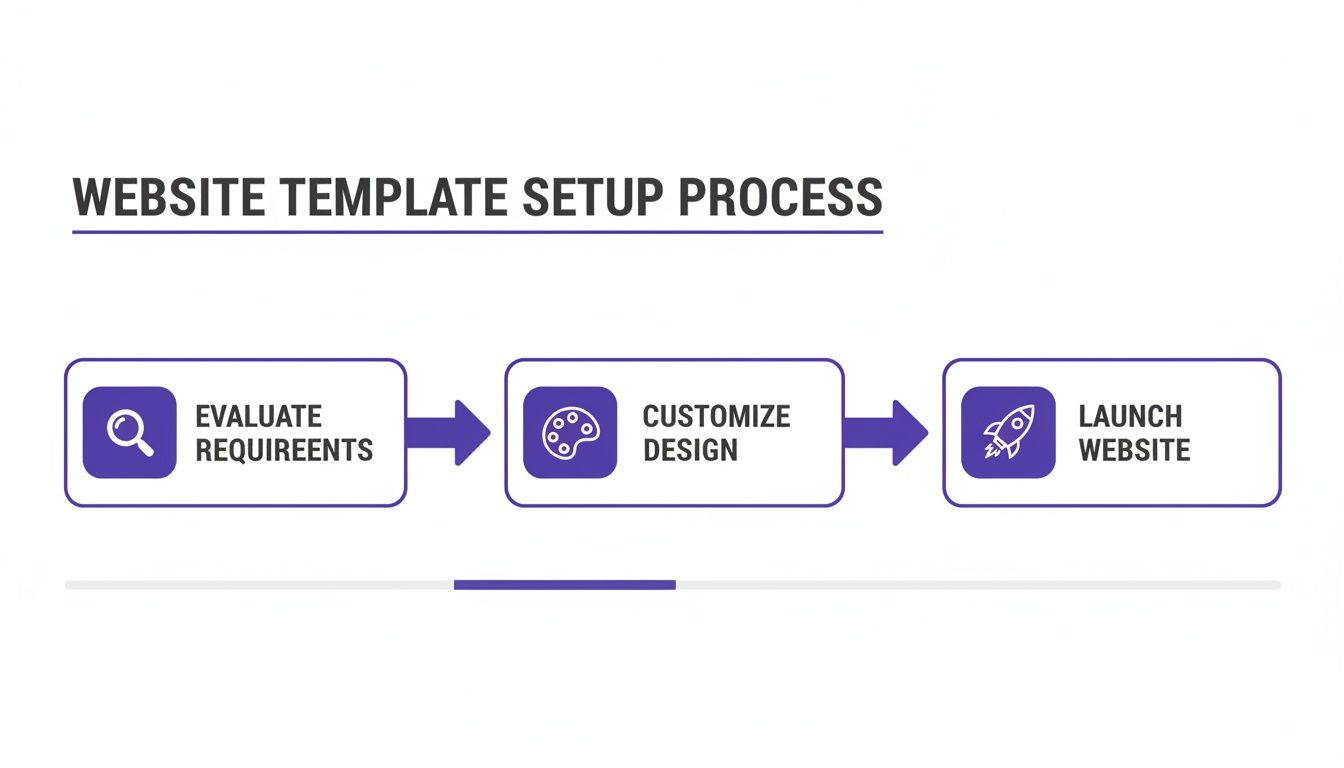
Think of it this way: a successful website launch comes from a series of smart decisions, starting with a careful evaluation, moving through branding, and ending with a well-executed public reveal.
Mistake 1: Focusing Only on Visuals
One of the biggest traps you can fall into is picking a template based purely on looks. Sure, it has to look good, but a stunning design is completely useless if the site is slow, a nightmare to use on a phone, or invisible to Google. It's like buying a car with a slick paint job but never bothering to pop the hood and check the engine.
You need to find a healthy balance between form and function. Before you commit to any template, run its demo through Google's PageSpeed Insights to check its speed. Even more importantly, pull it up on your own phone. If the experience isn't smooth and intuitive, walk away.
Mistake 2: The "Set It and Forget It" Mentality
Another huge misstep is launching your site with the template's default settings and then never touching it again. This "set it and forget it" mindset leaves you with a cookie-cutter website that looks exactly like a hundred other dealerships using the same theme. It does absolutely nothing to tell customers who you are or why they should buy from you.
Your website template is the foundation, not the finished house.
A template gives you the framework, but your brand, your story, and your unique offers are what connect with customers. A generic website makes your business feel just as generic.
To avoid this, you have to put in the work to make it your own. That means:
- Uploading your logo and making sure it's crisp and clear.
- Customizing the color scheme to match your brand's colors on buttons, links, and headers.
- Writing a genuine "About Us" page that tells the story of your dealership.
- Featuring real testimonials from happy customers to build social proof.
This is how you turn a generic template into your digital storefront.
Mistake 3: Neglecting High-Quality Content
Finally, remember that even the most brilliantly designed template can't save you from bad content. This is especially true when it comes to your vehicle listings—the heart and soul of your website. Blurry photos and lazy, one-line vehicle descriptions will kill a customer's trust in a heartbeat.
Online shoppers are leaning on your website to get a real sense of a car before they ever step foot on your lot. If your pictures are terrible, they'll assume the car is, too.
Make great content a non-negotiable. Invest the time to take at least 15-20 clear, well-lit photos of every single vehicle. Get all the angles, inside and out. Then, write descriptions that do more than just list features—sell the car. Paint a picture for the buyer and tell them why that specific vehicle is a fantastic choice. That extra effort shows you care and gives customers the confidence they need to reach out.
Taking the Next Step: Why Automotive SaaS Platforms Outpace Templates
A top-notch auto dealer website template is a fantastic starting point—it's the blueprint for your digital showroom. But what if you could have the entire showroom built, staffed, and managed for you? That's the leap from a template to a dedicated automotive SaaS platform. We're no longer just talking about a website; we're talking about an integrated sales and marketing engine.
Here’s a good way to think about it. A website template is like getting a world-class engine. It's powerful, for sure, but you still have to build the car around it, wire up all the electronics, and find a crew to keep it running. An automotive SaaS (Software-as-a-Service) platform, on the other hand, is the whole race-ready car, complete with a professional pit crew.
The Power of an All-in-One System
The single biggest difference is integration. When you start with a template, you’re the one responsible for bolting on other tools. You have to find and connect a CRM, an inventory manager, marketing plugins, and analytics software. This patchwork approach often creates compatibility nightmares, opens up security holes, and eats up your time with technical busywork.
A SaaS platform, however, is built from the ground up with all these critical functions already woven together into one seamless system.
A dedicated automotive SaaS platform lets you stop managing technology and start selling more cars. It takes care of the technical heavy lifting—security, updates, performance—so your team can focus on what really moves the needle.
Key Benefits of the SaaS Approach
Dealers who make the switch to a SaaS model find they have a serious competitive advantage. Why? Because their operations and technology are streamlined, and the benefits hit the bottom line directly.
- Simplified Operations: Imagine managing everything in one place. No more juggling multiple software subscriptions and logins. From updating a vehicle's price to tracking a new lead, it all happens within a single dashboard.
- Worry-Free Updates and Security: The SaaS provider manages all the technical headaches behind the scenes. Security patches, software updates, and new features are rolled out automatically. Your site is always up-to-date and secure, and you didn't have to do a thing.
- Truly Advanced Tools: The best platforms offer features that are incredibly difficult to piece together yourself. Think about automated email campaigns that trigger when a car's price drops, or deep analytics that show you a customer's entire journey, from their first Google search to the moment they book a test drive.
- Guaranteed Performance: The software and hosting are built to work in perfect harmony. This means SaaS platforms deliver the kind of speed and reliability that's essential for keeping visitors happy and ranking high on Google.
For any dealership serious about long-term growth and leading the market, a SaaS solution is the logical next step. While a template can get you in the game, an integrated platform like AutoFire provides the end-to-end system you need to scale your business and outmaneuver the competition. It's not about looking down on templates, but about knowing when your dealership is ready to graduate to something more powerful.
Frequently Asked Questions
When you start digging into website templates for your dealership, a few common questions always pop up. Let's tackle them head-on so you can move forward with confidence.
How Much Should a Good Template Cost?
You'll find that template pricing generally falls into two buckets. First, there are the one-time purchase themes, which you can often find for anywhere between $50 and $100. These are a decent starting point, but the catch is you're usually on your own for security patches and updates down the road.
The other, more common model today is a monthly subscription. These can run from $30 to over $200 per month, and the price really depends on what's included. The higher-end plans typically wrap in powerful features like automatic VIN decoding, dedicated support, and continuous security updates, which means less for you to worry about.
Can a Template Integrate with My Inventory System?
This is a big one. The short answer is yes, but you absolutely have to verify this before you commit. The best templates are specifically designed to sync up with dealership inventory systems. You'll want to look for compatibility with standard data feed formats like XML or CSV.
This integration is what makes your website a living, breathing part of your business. When a car is sold or a new one comes in, your site updates automatically. No more manual data entry. This kind of automation is a game-changer for keeping your listings accurate and your team sane.
A template that doesn’t sync with your inventory is like a showroom that never gets updated. It creates confusion for customers and headaches for your team, making seamless integration a non-negotiable feature.
How Long Does It Take to Launch a Website?
Using a template is hands-down the fastest way to get your dealership online. A fully custom website can take months of development, but a template gives you a massive head start.
Realistically, you could be looking at a launch timeline anywhere from a few days to a couple of weeks. The template provides the foundation, but the final timing depends on you—things like getting your branding just right, writing the content for your pages, and uploading your entire vehicle inventory. The more you have your photos and data ready to go, the faster you'll cross the finish line.
Ready to launch a professional, high-performance website without the technical headaches? AutoFire provides an all-in-one platform designed to get your dealership online and capturing leads in minutes. Explore our features and see how easy it can be.