 ™
™

Automotive inventory management software is the dealership's command center. It’s the engine that automates everything from the moment a car hits your lot to the final sale, transforming chaotic vehicle data into a powerful, well-oiled sales machine. For independent dealers, this isn't a luxury; it's how you save time, slash errors, and compete head-to-head with the big franchise stores.
What Is Automotive Inventory Management Software?
Picture your inventory like a fleet of airplanes, each one waiting for its specific destination—a buyer. Trying to manage them without a system is pure chaos. Automotive inventory management software is your air traffic controller, flawlessly guiding each vehicle’s journey from its arrival on your lot to the handshake with a happy new owner.
This is much more than a digital filing cabinet or a glorified spreadsheet. It’s a purpose-built system designed for the unique, high-stakes world of selling cars. It takes on the tedious, soul-crushing tasks that eat up your day, freeing you to focus on what you do best: selling cars and building relationships.
Moving Beyond Manual Methods
For too long, independent dealers have been stuck using spreadsheets, whiteboards, and sticky notes to track inventory. It’s a familiar method, but it’s dangerously prone to human error, wasted hours, and lost sales. A single typo in a VIN or an outdated price can kill a deal on the spot.
Modern software makes those risks a thing of the past by creating one smooth, automated workflow. Imagine scanning a VIN and instantly populating everything from engine size to factory options. Instead of manually updating five different websites, you publish a new car to every single online channel with one click.
This jump from manual tracking to an integrated system isn’t just about making life easier—it’s about survival. Poor inventory control can directly cause significant revenue loss from having the wrong cars on the lot.
Take a look at how daily operations change when you move away from manual methods.
Manual Spreadsheets vs Automated Software
| Task | The Old Way (Manual Spreadsheets) | The Smart Way (Automated Software) |
|---|---|---|
| Adding a New Car | Manually type in VIN, year, make, model, trim, and features. Look up specs online. | Scan the VIN with a mobile app. All specs, options, and features auto-populate in seconds. |
| Uploading Photos | Transfer photos from a camera to a computer, resize them, and upload them one by one to each website. | Snap photos with your phone. The app automatically syncs them to the vehicle record and all listings. |
| Updating Prices | Log into multiple websites (your site, Autotrader, Cars.com, etc.) and change the price on each one individually. | Change the price once in the system. It updates everywhere automatically. |
| Writing Descriptions | Spend 15-20 minutes writing a unique description for every single car. | Generate a compelling, feature-rich description with a single click using AI-powered tools. |
| Tracking a Lead | A customer calls. You scramble to find the right spreadsheet to see if the car is still available. | The customer's info is captured directly from the listing and linked to the vehicle in your CRM. |
The difference is night and day. One path is filled with friction and potential mistakes, while the other is all about speed and precision.
The Core Purpose And Benefits
At its heart, this software turns your inventory from a static list of cars into an active, intelligent sales tool. It organizes every single detail—photos, specs, pricing, history reports, and marketing copy—into one central hub. It's no surprise that the market for these tools, valued at USD 3.57 billion in 2023, is expected to skyrocket to USD 9.20 billion by 2032. Dealers using them are simply getting better results.
The main benefits you'll see almost immediately include:
- Operational Efficiency: Get hours back every week by cutting down on data entry and automatically sending your listings to third-party sites.
- Increased Accuracy: No more costly mistakes from mistyped VINs or incorrect feature lists. Your customers see the right info, every time.
- Enhanced Marketing: Automatically create professional, search-engine-friendly vehicle detail pages that bring in buyers from Google.
- Better Decisions: Finally get clear, data-driven insights into what's selling, what's not, and which marketing channels are actually working.
By automating these core jobs, you build a stronger, more profitable dealership. To dive deeper, check out our guide to mastering inventory management for independent car dealerships.
Essential Features That Drive Dealership Growth
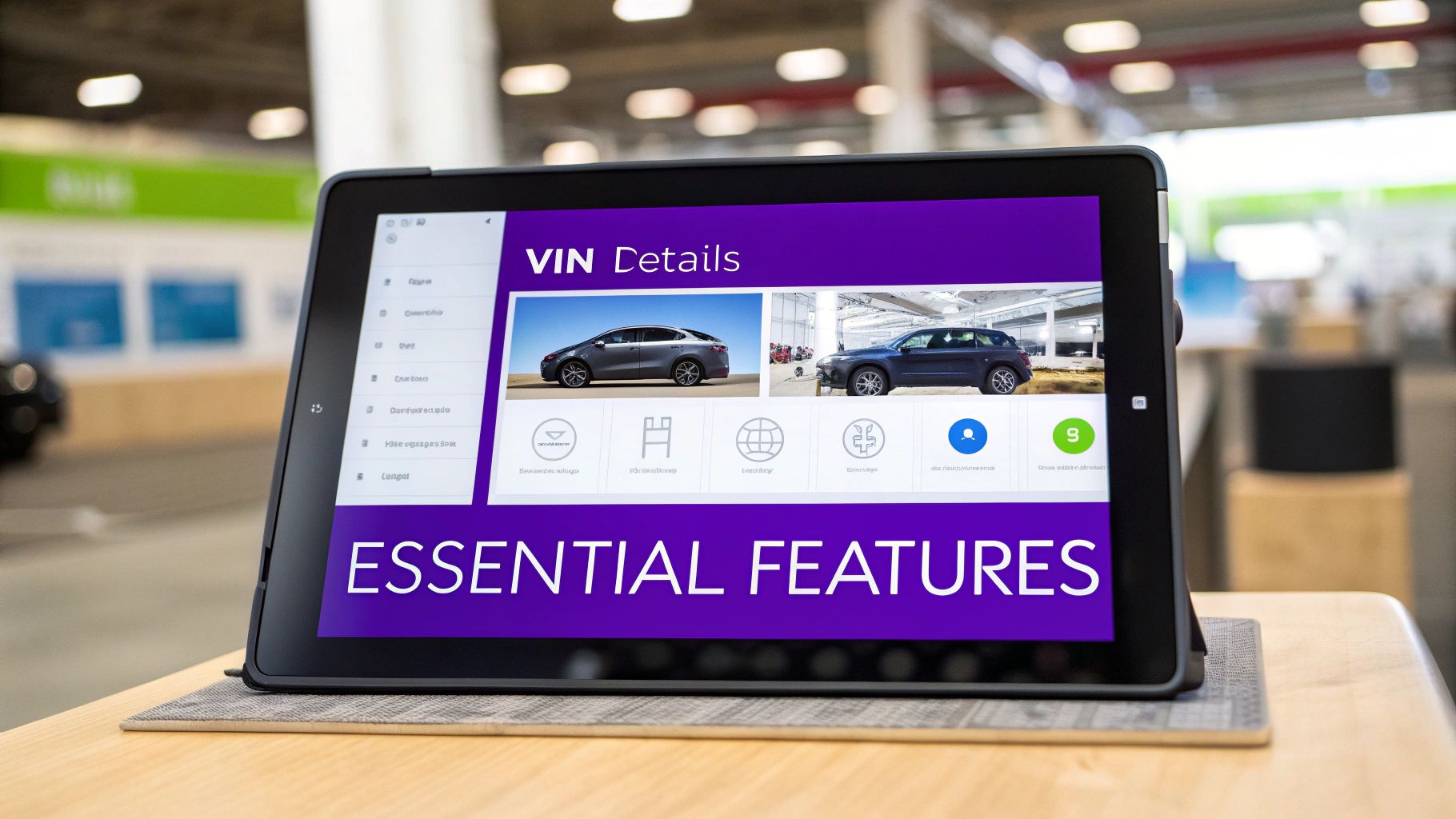
The right inventory management software is more than just a digital filing cabinet for your lot—it's the engine that powers your growth. The features aren't just flashy add-ons; they are practical solutions to the real-world headaches that slow down independent dealers every single day.
Let’s dig into the non-negotiable features that make a piece of software your dealership's most valuable player. These are the tools that save you time, cut down on costly mistakes, and get your vehicles in front of as many serious buyers as possible.
Instant Accuracy with VIN Decoding
Manually typing in vehicle data is just asking for trouble. One wrong digit in the trim level or a mistake in the options list can mislead a customer and kill a deal before it even starts. That's where a VIN decoder becomes your best friend.
Think of it as a barcode scanner for cars. You just scan the Vehicle Identification Number (VIN) with your phone, and boom—the software instantly populates the correct year, make, model, trim, engine, and all the factory-installed goodies. What used to take 15-20 minutes of tedious lookup and typing now takes seconds.
For an independent dealer, this isn't just about saving time; it's about protecting your reputation. It guarantees every vehicle detail page on your website is 100% accurate, building trust with shoppers from their very first click.
Maximize Your Reach with Automated Syndication
Okay, the car is prepped and ready to sell. Now what? Manually posting it to your website, Craigslist, Facebook Marketplace, and other listing sites is a mind-numbing, repetitive chore. Automated syndication handles all of it with a single click.
This feature is your master key for distribution. You enter the vehicle's info, upload the photos, and set the price just once. The system then automatically pushes that listing everywhere it needs to go.
- Your Dealership Website: The listing goes live instantly with a professional, detailed page.
- Third-Party Marketplaces: Your inventory gets beamed out to the heavy hitters like Cars.com or Autotrader.
- Google Vehicle Ads: Your cars show up right in local search results for buyers who are ready to pull the trigger.
- Social Media: You can create and share posts for platforms like Facebook in a snap.
This makes sure your inventory is always accurately marketed everywhere your customers are looking, without you having to touch each site one by one.
Stay Competitive with Dynamic Pricing Tools
Pricing used cars feels like a tightrope walk. Go too high, and the car becomes a permanent resident on your lot. Go too low, and you're leaving cash on the table. Dynamic pricing tools give you the market intelligence to find that perfect balance.
These tools pull in real-time market data, showing you exactly what similar cars are selling for in your area. You get a clear picture of competitor pricing, how long cars are sitting, and what's in demand. This intel lets you price your cars competitively from day one, which means a faster turn rate and better profit margins on every single sale.
In a market that changes this fast, a data-driven approach is essential. The global automotive parts inventory management software market is expected to grow significantly in the coming years. This expansion is fueled by tools that eliminate expensive guesswork, which can hobble smaller operations.
Turn Clicks into Customers with CRM Integration
A great-looking website listing is pointless if it doesn't bring you leads. A CRM (Customer Relationship Management) integration is the bridge that connects your online inventory directly to your sales pipeline.
When a shopper fills out a form on your site—like "Check Availability" or "Schedule Test Drive"—the CRM integration gets to work instantly. It automatically creates a new contact in your system, links them to the exact vehicle they're looking at, and pings your sales team to follow up.
This seamless connection turns your website into a lead-generating machine that works 24/7. It transforms someone who is just browsing into a real sales opportunity, ensuring no potential buyer ever slips through the cracks. You can see a full breakdown of these capabilities and other essential tools by exploring AutoFire™’s core features.
How Smart Inventory Management Boosts Your Online Presence
Your physical car lot is still a big deal, but let's be honest—your digital showroom is where most customers start their car-buying journey today. Good automotive inventory management software does a lot more than just keep your cars organized. It's a powerful marketing engine that builds your online presence and pulls local customers right to your digital front door.
Think of it this way: without the right software, getting your cars to show up on Google is like trying to wave down a customer in a massive, unlit parking lot. A smart inventory system flips on the floodlights, puts up a giant neon sign, and rolls out the welcome mat, all at once.
It’s what makes sure that when a local buyer searches for a "used Ford F-150 near me," your truck is sitting right there at the top of the page, waiting for them.
Turn Your Inventory into SEO Fuel
Search Engine Optimization (SEO) might sound like a bunch of technical jargon, but its job is simple: connect your cars with the people who are actively looking for them. Modern inventory software handles this for you by automatically building optimized Vehicle Detail Pages (VDPs) for every single car you list.
Each VDP essentially becomes a perfect little landing page. The software automatically pulls the year, make, model, trim, and VIN and plugs them into the page title, the URL, and the meta description. This is the exact information search engines like Google and Bing need to understand what the page is about and show it to the right people.
A well-structured VDP is your best online salesperson. It doesn't just list features; it directly answers a searcher's question, which builds instant trust and pulls them from the search results straight to your inventory.
Instead of paying a fortune for an SEO agency, your inventory tool does the heavy lifting. It translates your vehicle data into search-friendly content, turning your day-to-day operations into a marketing machine that works for you 24/7.
Dominate Local Search with Google Vehicle Listings
One of the most powerful features to look for is an integration with Google Vehicle Listings. This is huge. It places your available cars directly inside Google's search results, often in a visual, easy-to-browse carousel right at the top of the page. It's like getting a reserved parking spot in the most visible location online.
So, how does this actually work?
- Direct Sync: Your software automatically feeds your inventory to Google. When you add a new car or change a price, the Google listing updates almost instantly. No extra work for you.
- High-Intent Buyers: The people seeing these listings aren't just kicking tires. They are actively shopping. They see your car, its price, and your dealership's name before they even click.
- Local Focus: These listings are laser-focused on your geographic area, meaning you’re reaching buyers nearby who are actually in a position to come in for a test drive.
This direct pipeline to motivated local shoppers is a game-changer, especially for independent dealers. It helps you compete with the big franchise stores without needing a massive advertising budget. To get a deeper understanding of this, you can explore our detailed guide on SEO for automotive dealerships and see how these strategies drive real-world results.
Convert Browsers into Qualified Leads
Getting eyes on your website is great, but it's only half the battle. The real goal is to turn those anonymous visitors into actual leads you can talk to. This is where a well-designed VDP with built-in lead capture tools makes all the difference.
Your inventory software shouldn't just display information; it should encourage shoppers to take the next step. This is done with clear, simple forms and calls-to-action (CTAs).
You've seen them before:
- "Check Availability" Button: A simple, no-pressure way to get a name, email, and phone number.
- "Schedule a Test Drive" Form: For someone who's serious, this form captures their contact info and preferred time to come in.
- "Get Pre-Approved" Link: This connects interested buyers directly to your financing options, giving you a highly qualified lead.
When a visitor fills out one of these forms, the best systems instantly shoot that lead over to your CRM or email, along with the details of the exact car they were looking at. This seamless process means you never miss a beat and can follow up immediately while that lead is still hot. It's the final, crucial step that turns online traffic into real sales opportunities.
Choosing the Right Software for Your Dealership
Picking the right inventory management software can feel like staring at a wall of options. It’s easy to get lost in feature lists and tech-speak. The trick is to stop focusing on what the software can do and start asking what your dealership actually needs to grow.
Forget the shiny objects and long lists of bells and whistles for a moment. Think about your day-to-day grind and where you want to be in a year. The best software isn't the one that does the most; it's the one that becomes a genuine partner in your business—solving real problems and opening up new opportunities without making your life more complicated.
This guide will help you cut through the noise with a practical checklist, focusing on what really moves the needle for a small, independent lot like yours.
Software Buyer's Quick-Check Guide
When you're comparing different platforms, it’s tough to keep all the details straight. Use this table as a quick reference to make sure you’re hitting the most important points for your business.
| Evaluation Criterion | What to Look For | Why It Matters for Your Dealership |
|---|---|---|
| Simplicity | An intuitive interface you can figure out in minutes, not days. Simple steps for common tasks like adding a car or changing a price. | You don't have an IT department. The software should save you time, not become a second job. |
| Scalability | Flexible pricing tiers that grow with your inventory. The ability to handle 10 cars now and 50+ later without a massive price jump. | You won't outgrow the system in six months. It supports your ambition instead of holding you back. |
| Mobile Experience | A mobile-first design, not just "mobile-friendly." Fast-loading photos and easy-to-use forms on a smartphone. | Most of your customers are shopping on their phones. A bad mobile site is like having a "Closed" sign on your digital front door. |
| Pricing Model | Clear, upfront monthly costs with no hidden fees. Month-to-month contracts are a huge plus. | Predictable expenses are critical for a small business. You need flexibility, not a long-term financial anchor. |
| Customer Support | Easy access to real, helpful human beings via phone, chat, or email. | When you hit a snag, you need a quick solution from someone who understands your business, not a ticket number. |
By keeping these core needs in mind, you can confidently filter out the noise and find a tool that’s a true asset to your dealership.
Prioritize Simplicity and Ease of Use
Your time is your most valuable resource. You can’t afford to spend weeks wrestling with a complicated system. The very first question to ask is: can I get this up and running myself, today? The software should feel natural from the moment you log in.
Look for a clean, simple dashboard. Adding a new vehicle, snapping photos with your phone, and updating a price should be common-sense actions. If a platform requires a thick user manual for basic tasks, it’s going to be a constant source of friction.
A great platform is one you can launch in an afternoon. You should be able to sign up, add your first few cars, and have a live, professional-looking online showroom within a few hours.
Making the right software choice has a direct, cascading effect on your business—improving your online visibility, driving local sales, and bringing in more qualified leads.
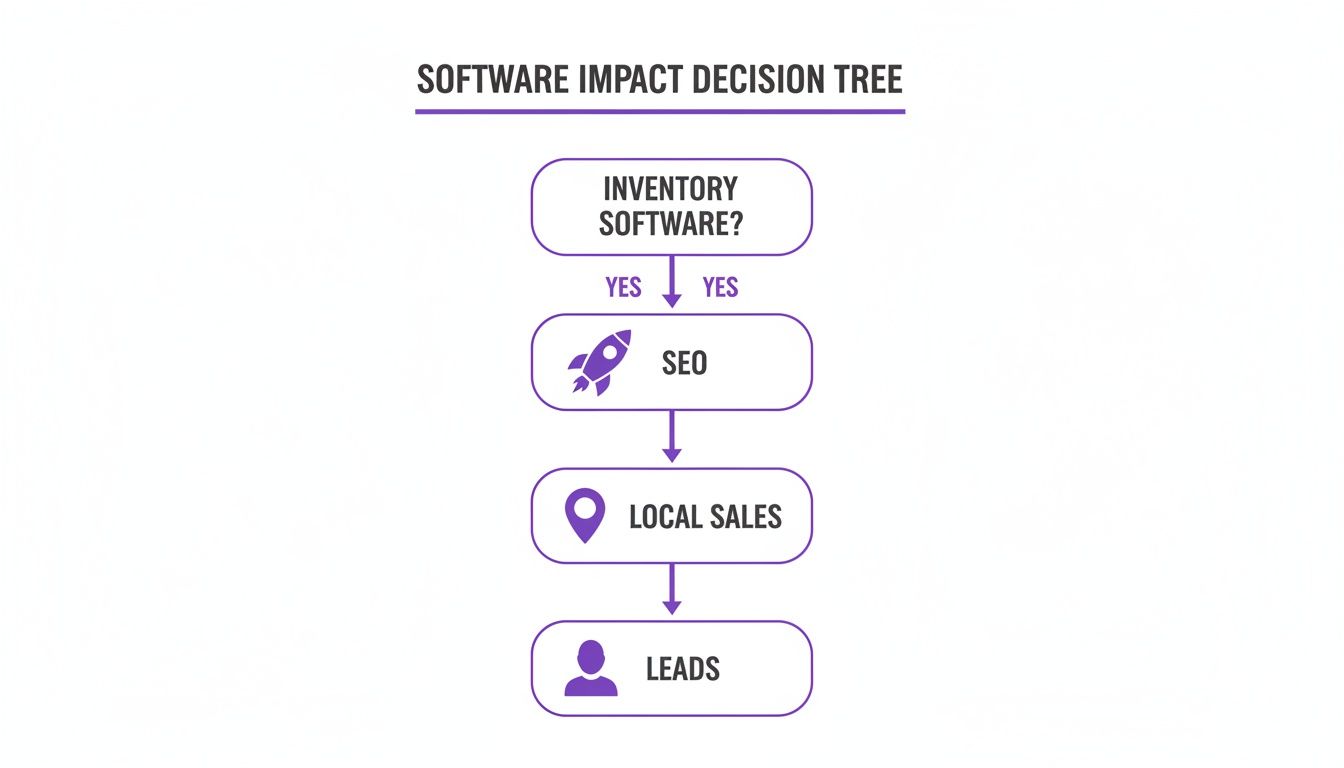
As you can see, a single good decision here branches out, creating clear pathways to real business growth and better marketing results.
Ensure It Can Scale With Your Ambitions
The software that works for your 10-car lot today has to work just as well when you’ve got 50 cars next year. Scalability is non-negotiable. You need a solution that grows with you, not one you’ll outgrow in a few months.
Check out the pricing plans and feature tiers. Does the company offer a straightforward starting point with an easy upgrade path for more inventory or advanced tools? Avoid providers that try to lock you into an expensive, enterprise-level package from day one. A flexible, tiered structure is a good sign they understand how independent dealers operate.
Demand a Mobile-First Design
Let's be clear: the vast majority of your customers will find your cars on their smartphones. If your inventory pages are slow, clunky, or just plain broken on a mobile device, you are losing sales. It’s that simple. The software you choose absolutely must be built with a mobile-first mindset.
This goes way beyond just having a website that shrinks to fit a small screen. The entire experience has to be seamless. Photos need to load instantly, vehicle details must be easy to scan, and contact forms should be simple enough to fill out with one thumb. Before you even think about signing up, test every potential platform on your own phone.
Look for Transparent Pricing and Quality Support
Nothing kills a small dealership’s budget faster than hidden fees and restrictive long-term contracts. Look for providers with clear, transparent pricing. You should know exactly what your bill will be each month, no surprises. Month-to-month plans are ideal because they give you the freedom to pivot if your business needs change.
Finally, never underestimate the value of quality support. When something isn’t working right, you need to talk to a real person who can actually help you. Find out what their support channels are—email, chat, phone—and what their reputation is like. Good support shows they're a true partner invested in your success. The market for cloud-based inventory software is growing rapidly because it helps businesses streamline operations and reduce errors. You can learn more about inventory management market trends to see how these advancements are reshaping the industry.
Your Implementation Roadmap from Day One to Done

The thought of adopting new software can feel like a massive, time-consuming project. Let’s be real, who has time for that? But with modern, cloud-based automotive inventory management software, getting your dealership online isn't some month-long headache. It can honestly be done in a single afternoon.
This roadmap breaks the whole process down into a few simple, manageable chunks. It’s designed to get you from sign-up to your first online lead, building your confidence at every step. Forget needing a whole tech team—you just need a clear plan.
Phase 1: The Preparation
Before you even log into your new system, a little prep work will make everything else go so much faster. Think of this as getting your ducks in a row. It’s the digital version of lining up your best cars on the front row of the lot.
Your only goal here is to get your vehicle info organized. Don't sweat the small stuff or aim for perfection just yet.
- Gather Your Photos: Round up the best pictures you have for your current inventory. Get them all in one place on your computer or phone, ready to upload.
- List Your VINs: Grab the VINs for all the cars you have on hand. This is the key to letting the software do the heavy lifting for you in a minute.
That’s literally it. A few minutes of prep work means you can hit the ground running as soon as you create your account.
Phase 2: The System Setup
Okay, this is where the fun begins. With a good platform, the setup is designed to be super intuitive. You’re looking at less than an hour, from start to finish. The goal is simple: build your digital showroom and get your first few vehicles online.
This isn't about building a website from scratch. It's more like activating a powerful, pre-built system. Imagine moving into a professionally staged model home—all you have to do is bring in your inventory.
Here are the key steps:
- Create Your Account: Sign up for the service. Platforms like AutoFire offer free plans that let you dive right in with zero upfront cost.
- Choose Your Look: Pick a website template that fits your style. Any decent system will give you clean, professional, and mobile-friendly designs right out of the box.
- Add Your First Vehicles: Using those VINs you gathered, start adding cars. Scan the VIN with your phone, upload the photos you prepped, set your price, and just watch as the software builds out a beautiful, detailed listing for you.
This simple, repeatable process becomes the core of your new inventory workflow.
Phase 3: The Launch
With your first few cars loaded and your site looking sharp, it’s time to go live. This final phase is all about flipping the switch and connecting your brand-new digital dealership to the world.
Your focus shifts from setup to actually getting seen. The hard work is done; now it’s time to open the virtual doors.
- Connect Your Domain: If you have a custom domain name (like
yourdealership.com), now's the time to link it to your new site. This gives your business a professional, branded online home. - Promote Your Showroom: Start sharing links to your new vehicle listings everywhere! Post them on social media, add your website to your email signature, and list them on local marketplaces.
By following this straightforward roadmap, you can completely change your dealership’s online presence in a matter of hours. You'll go from having zero online inventory to capturing real leads from a professional, SEO-friendly website—all before you call it a day.
Answering Your Key Questions
Alright, let's get down to brass tacks. You've seen what this kind of software can do, but what does it really mean for your dealership day-to-day? It's smart to have questions before you jump in.
This is where we tackle the big ones—the practical, real-world concerns every independent dealer has before they commit. We'll cover everything from how much time you'll actually get back to whether the price tag makes sense for a smaller operation.
How Much Time Will I Realistically Save?
This is usually the first thing dealers ask, and the answer is: a lot. Seriously. Think about your current process for just one car. You have to look up the specs, type out all the details, resize and upload photos, and then write a description that sells. That’s easily 20-30 minutes per vehicle, right?
With a good system, you scan the VIN, and the software does the heavy lifting. The whole process shrinks to maybe five minutes. Now, do the math. If you're only adding 10 cars a month, you're getting back over four hours. For a busier lot, we're talking about saving dozens of hours every single month—time you can spend talking to customers and closing deals, not stuck behind a keyboard.
Is This Worth the Investment for a Small Lot?
Absolutely. In fact, I'd argue smaller lots feel the benefits the most. When you're running a lean operation, every single sale is critical. You can't afford to have your website look stale or miss out on a lead because a car wasn't listed on the right marketplace.
This isn't like buying a massive, expensive piece of equipment anymore. Most modern software runs on a simple subscription model, making the cost easy to manage.
For a small lot, this is all about efficiency and reach. The software is your virtual assistant and marketing guru rolled into one. It lets you punch above your weight and compete with bigger dealerships without needing their budget or staff.
How Difficult Is It to Migrate My Existing Inventory?
Worried about a massive data entry project? Don't be. Moving your current inventory over is way easier than you think. Modern platforms are built to make this transition as painless as possible, so you won't be re-typing everything from an old spreadsheet.
It’s usually a simple three-step process:
- Export Your Data: If you’re using a spreadsheet, you can almost always save it as a CSV file.
- Use an Import Tool: The new software will have a tool that lets you upload that file and match your columns (like 'Make', 'Model', 'Price') to the right fields in the system.
- Scan and Verify: If anything is missing, you just grab your phone, use the VIN scanner to fill in the gaps, and give it a quick once-over to make sure it's all correct.
For most small-to-medium-sized lots, you can have your entire inventory moved over in less than an hour. It’s a one-time setup, not a week-long nightmare.
Ready to see how a modern, hassle-free platform can transform your dealership? AutoFire delivers a professional, mobile-first website with all the essential inventory tools built right in. Get your dealership online in minutes and start capturing leads today—no contracts, no setup fees. Launch your free dealership website now.
