 ™
™Schedule a demo
Your lot.
Your inventory.
A better way
to run it.
A dealership website, live inventory, AI tools, and lead management. All in one place. See how AutoFire™ connects the work behind your lot with the experience your shoppers see.
Bring your current website. We’ll help you see what comes next.
Let’s talk about your lot
See AutoFire
in action.
A personal walkthrough, built around your dealership and your questions.
What to expect
A conversation about
your next chapter.
You know your dealership. We know the platform. Let’s put the two together and work through what a switch could look like.
Start with your dealership
Share your website and inventory size. Tell us what is working, what takes too much time, and what you want to change.
See the whole workflow
Walk through the shopper experience, add a vehicle, explore the AI tools, and see how your team manages incoming leads.
Leave with a clear next step
Talk through your inventory import, domain, and plan options. Decide whether AutoFire fits your lot, on your own timeline.
Take a look around
The platform.
Before the conversation.
See the dealership website and the dashboard behind it. Then bring the questions that matter to your team.
From your lot to their phone
Make every vehicle
easy to find.
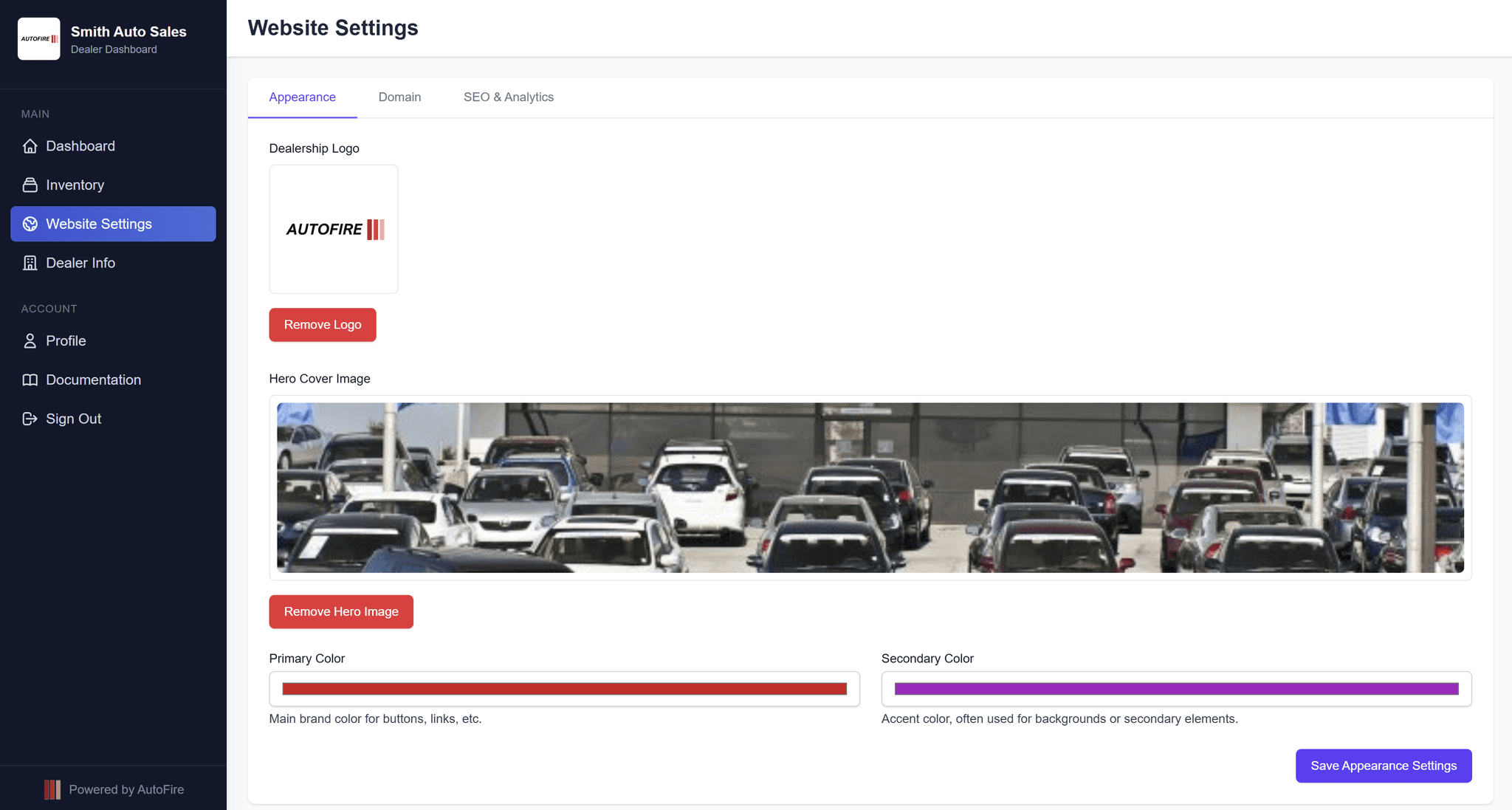
Give your inventory a home that works on every screen. Your photos, pricing, and vehicle details stay connected to the dashboard your team uses every day.
- Mobile-ready inventory and vehicle pages
- Your branding and your own domain on paid plans
- Lead forms and test-drive requests on paid plans
Less busywork. More dealership.
Your inventory.
One place to manage it.
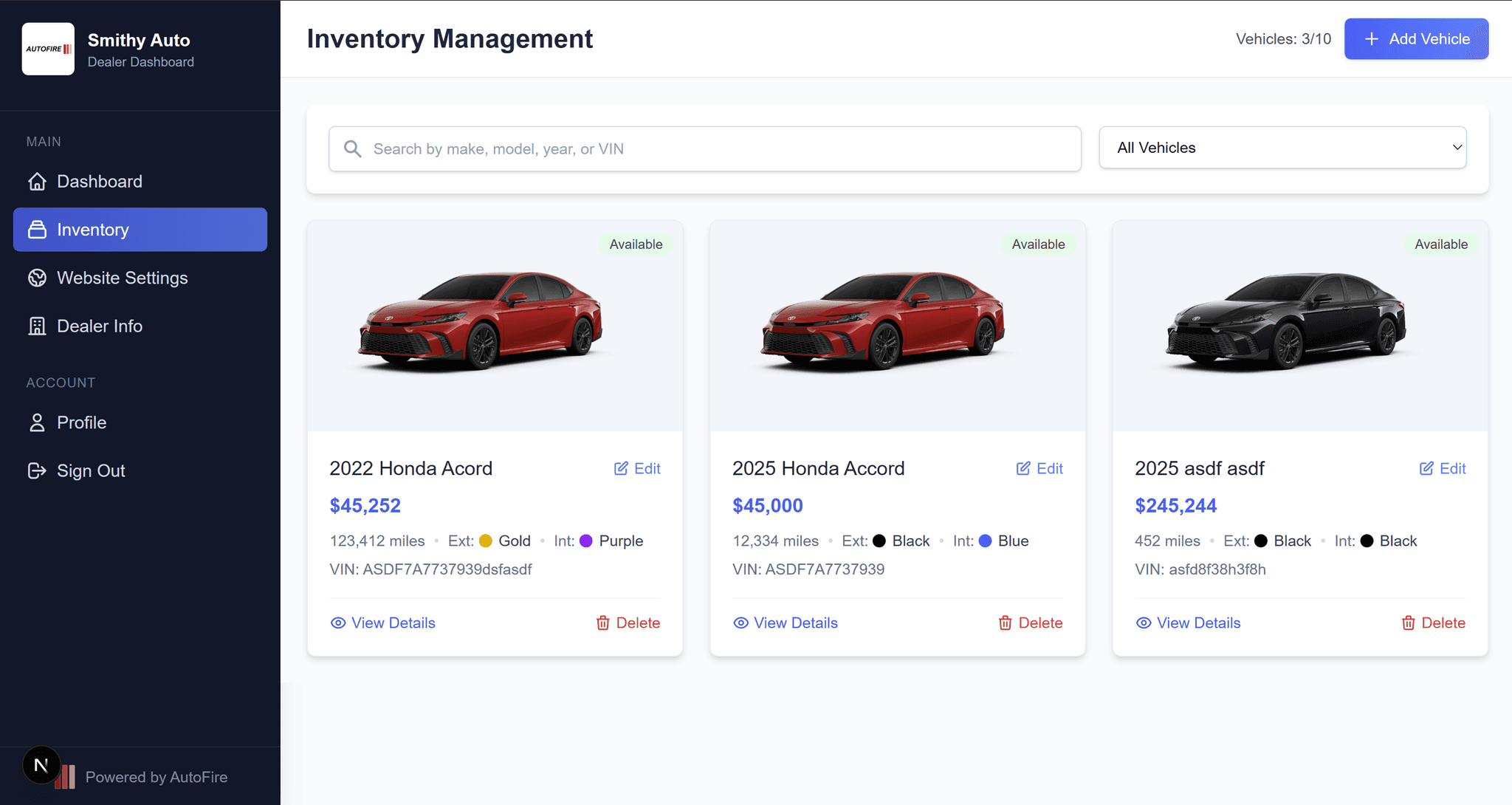
Add vehicles, update pricing, manage photos, and keep sold inventory organized. See the workflow from the first VIN to the live vehicle page.
Bring your inventory
Start with a CSV or a supported website import.
Keep your team connected
Manage inventory and leads from the dashboard and mobile app.
AI with a job to do
Useful tools.
Right where you work.
AI inventory chat
Help shoppers ask questions about your inventory and find vehicles that fit what they need.
LotIQ
Explore inventory insights and dealership priorities without jumping between disconnected reports.
FireCompare
Publish vehicle comparisons that give shoppers more context as they narrow down their next car.
Available on paid plans. Included usage varies by plan.
See the tools in actionA few things to know
Before we meet.
What happens during the demo?
We walk through AutoFire’s dealership website, inventory dashboard, lead tools, and AI features. Share your current website and priorities so we can focus the conversation on your dealership. Plan for about 15 minutes.
What should I have ready?
Your current website, approximate number of vehicles, and any questions about switching. If you are opening a new dealership, we can walk through getting your first inventory online.
Can I explore AutoFire without booking a call?
Yes. Open the live Smith Auto demo from this page to explore a sample dealership website, or create an account to try the dashboard. No credit card is required to get started.
Can you help move my existing inventory?
AutoFire supports CSV imports and migration from supported dealership websites. We can review your current source and explain the available import path during the demo.
How much does AutoFire cost?
The Free plan supports up to 10 active vehicles. Paid plans start at $59.99/month and include custom domains, lead capture, inventory feeds, and AI tools. A 30-day Pro trial begins on dealership approval, with no automatic paid conversion.
Does submitting the form book a time?
This form sends a demo request to our team. We will review it and contact you about availability. A meeting is scheduled only after a time is confirmed.
See what’s possible
Your next website starts
with your dealership.
Let’s take a look at what you have, where you want to go, and how AutoFire can help.
Request my demoExplore plans and pricing