 ™
™

The most effective apps for car dealers are the ones that work together, saving you from juggling dozens of different tools that don't talk to each other. Successful dealerships have figured this out. They bring key operations like inventory management, lead capture, and marketing under one roof, which demolishes data silos and helps the sales team work smarter, not harder.
Why Your Dealership Is Drowning in Apps
Does your dealership's tech setup feel more like a messy garage than a high-performance engine? It’s a common story. You might have one app for taking vehicle photos, another for posting on social media, a third for tracking new leads, and yet another for sending customer emails. While each tool solves one specific problem, together they create a much bigger headache: a disjointed, clunky, and downright frustrating workflow.
This patchwork of single-purpose apps for car dealers leads to data silos, trapping critical information in isolated corners of your business. A salesperson ends up manually copying a new lead from a website form into the CRM, which is a waste of time and an open invitation for typos and errors. That kind of disjointed process hits your bottom line, plain and simple.
The Real Cost of a Disconnected Tech Stack
This isn't just about being annoyed; it's about losing deals. In this market, you have to be fast. A deep-dive industry analysis found something shocking: the average dealer response time to a new lead is a whopping 9.2 hours. That’s a lifetime when you consider most buyers make a decision within 48-72 hours of reaching out. Having integrated dealership applications is the only way to get in front of customers before your competition does. You can dig into the numbers yourself in this 2026 automotive trends analysis.
Why the delay? That lead information has to bounce between multiple systems that aren't connected before it ever lands in a salesperson's hands. Every manual hop adds another delay, slowing down the entire sales cycle.
A dealership's technology should act as a cohesive system, not a collection of separate parts. The goal is to create a smooth path from a customer's first click to the final handshake, and that's impossible when your tools don't communicate.
Building a Foundation for Success
Instead of just piling on more single-function apps, the real fix is to build on a solid foundation. A modern dealership website platform should be the central hub for all your critical activities. Think of it as the chassis—the core frame—of your entire digital operation.
A purpose-built platform can handle several key functions right out of the box, all in one place:
- Inventory Display: It automatically builds SEO-optimized pages for every vehicle, making sure your cars and trucks actually show up on Google.
- Lead Capture: Forms are built right into your vehicle pages, so every inquiry is captured and routed the second it comes in.
- Marketing Integration: Sharing inventory to social media and major listing sites becomes simple, without needing extra tools to do it.
When you start with a foundational platform that manages these core jobs, you immediately cut down on the number of apps you need. This approach doesn't just save you time and money; it creates a more powerful, efficient system designed for one thing: selling more cars.
The Core App Categories Every Dealer Needs
Trying to figure out which apps your dealership actually needs can feel like a full-time job. The market is flooded with tools, but you don't need to chase every shiny new object. Successful dealers know the secret: master the five fundamental software categories that truly drive the business.
Think of it like building a high-performance engine. Each part has a specific job, and they all have to work together perfectly. You've got your engine block (DMS/CRM), the fuel system (Inventory Management), the ignition (Lead Capture), the exhaust (Marketing), and the dashboard (Analytics). When they're all in sync, your dealership runs smoothly and powerfully.
Let's break down what each of these core components does.
DMS and CRM: The Central Nervous System
At the very center of your dealership's universe, you'll find the Dealer Management System (DMS) and the Customer Relationship Management (CRM) platform. They're often sold as a package, but they handle two distinct, vital functions. The DMS is your operational command center—it’s where deals get structured, financing is processed, and the back-office accounting happens.
Your CRM, on the other hand, is all about people. It's the memory bank for every customer interaction, logging every call, email, and showroom visit. This gives your sales team the power to follow up with a personal touch, remember the little details, and build the kind of trust that brings customers back for years. Without a solid DMS/CRM, you’re basically flying blind.
Inventory Management: Your Digital Showroom
Your inventory is your most valuable asset, and how you manage it online can make or break a sale. Inventory management apps are the workhorses that ensure every vehicle detail page (VDP) is accurate, attractive, and perfectly synced across your website and every third-party marketplace.
These systems do the heavy lifting, from decoding a VIN to automatically populating a vehicle's features, options, and specs. This is a huge time-saver, but more importantly, it prevents the kind of embarrassing errors that can kill a buyer's confidence. A great inventory tool keeps your pricing consistent, your photos sharp, and your descriptions optimized to grab attention. For a deeper dive, check out our guide on modern automotive inventory management software.
The moment a car hits your lot, your inventory management system should spring to life. It becomes the single source of truth that fuels your entire online sales strategy.
Lead Capture and Management: Turning Clicks Into Customers
Getting shoppers to your website is just the first step. The real magic happens when you turn that passing interest into a real sales lead, and that’s where lead capture tools come in. They are the bridge that connects a casual browser to a serious buyer.
These are the tools that power your "contact us" forms, live chat widgets, and "text us" buttons—all the little things that make it effortless for a customer to raise their hand. The second they do, the system instantly alerts the right salesperson and gives them the full context, like which car the person was looking at. In this market, that immediate, organized response is often what wins the deal.
Marketing Automation and Syndication: Expanding Your Reach
You have the cars. Now you need to make sure people know about them. Marketing automation and syndication apps act as a megaphone for your dealership, broadcasting your inventory to the widest possible audience with almost zero manual work.
Syndication tools are brilliant—they automatically push your vehicle listings out to dozens of major marketplaces like Autotrader and Cars.com, and even across social media. This makes your inventory discoverable wherever buyers are searching. At the same time, marketing automation software nurtures those leads by sending follow-up emails, price drop alerts, and service reminders that keep your dealership top-of-mind.
Analytics and Reporting: Making Data-Driven Decisions
Finally, how do you know if any of this is actually working? That’s the job of analytics and reporting software. Think of these tools as the dashboard for your entire operation, displaying your most important numbers in a way that’s easy to understand. They help you stop guessing and start making smart, informed decisions.
With good analytics, you can easily track:
- Website Traffic: Find out which vehicles are getting all the attention.
- Lead Sources: See exactly which marketing channels are giving you the best bang for your buck.
- Sales Performance: Monitor closing rates and see which members of your team are crushing it.
This data is pure gold for optimizing your marketing budget and fine-tuning your sales process. Digital tools are a top priority for dealers, as the industry continues to evolve with technology like AI to help qualify leads, automate tasks, and recommend deals that close faster and more efficiently.
To tie this all together, here's a quick look at how these essential app categories function and the value they deliver.
Core Dealership App Categories and Their Business Impact
| App Category | Primary Function | Key Business Value |
|---|---|---|
| DMS/CRM | Manages deals, accounting, and customer interactions. | Creates operational efficiency and builds long-term customer loyalty. |
| Inventory Management | Creates and maintains accurate, compelling vehicle listings. | Saves time, prevents errors, and ensures a consistent online presence. |
| Lead Capture & Management | Converts website traffic into actionable sales opportunities. | Increases lead volume and improves salesperson response time. |
| Marketing & Syndication | Distributes inventory listings and automates follow-ups. | Maximizes audience reach and keeps potential buyers engaged. |
| Analytics & Reporting | Tracks key performance indicators (KPIs) across all operations. | Enables data-driven decisions to optimize marketing spend and sales strategy. |
Mastering these five areas provides the foundation for a modern, efficient, and profitable dealership.
How to Choose the Right Tools for Your Dealership
Picking the right apps for car dealers isn’t about chasing the latest shiny object. It’s about building a smart, lean technology toolkit that actually helps you move more metal. With a sea of options out there, it’s easy to get overwhelmed. The secret is to zero in on a few core criteria to make sure the software you pick works for you, not against you.
Think of your dealership’s software like a high-performance engine. Every component has to fit perfectly and talk to the others instantly. If one part is out of sync, the whole system sputters, costing you power and efficiency. Your mission is to find tools that integrate so smoothly that they eliminate the very data headaches you’re trying to escape.
Your Core Evaluation Checklist
When you're sitting through a software demo, you need to go in with a sharp set of questions. Don’t let a slick sales pitch distract you from the realities of a busy dealership. Use this checklist to cut through the noise and figure out if a tool can actually handle the daily grind.
- Ease of Use: Could your least tech-savvy salesperson learn this in an afternoon? Complicated software that needs weeks of training almost never gets used to its full potential.
- Mobile Accessibility: Many car buyers now use their phones to shop. Your team needs tools that are just as mobile. Can they manage inventory, answer leads, and update deals from their phones while walking the lot?
- Integration Capabilities: This is the big one. Does this app play nice with your current DMS? Can it push a new lead straight into your CRM? A tool that can't talk to your other systems is just another silo.
- Transparent Pricing: Are there hidden setup fees or surprise charges? Look for clear, predictable pricing that makes sense for the value it delivers, without locking you into a long, complicated contract.
- Scalability: Will this tool grow with you? A system that works for a 20-car inventory should be just as effective when you hit 100. Don't get stuck with a solution that puts a ceiling on your growth.
This diagram shows how your most critical apps—CRM, inventory, and lead management—should all revolve around your dealership's core operations.
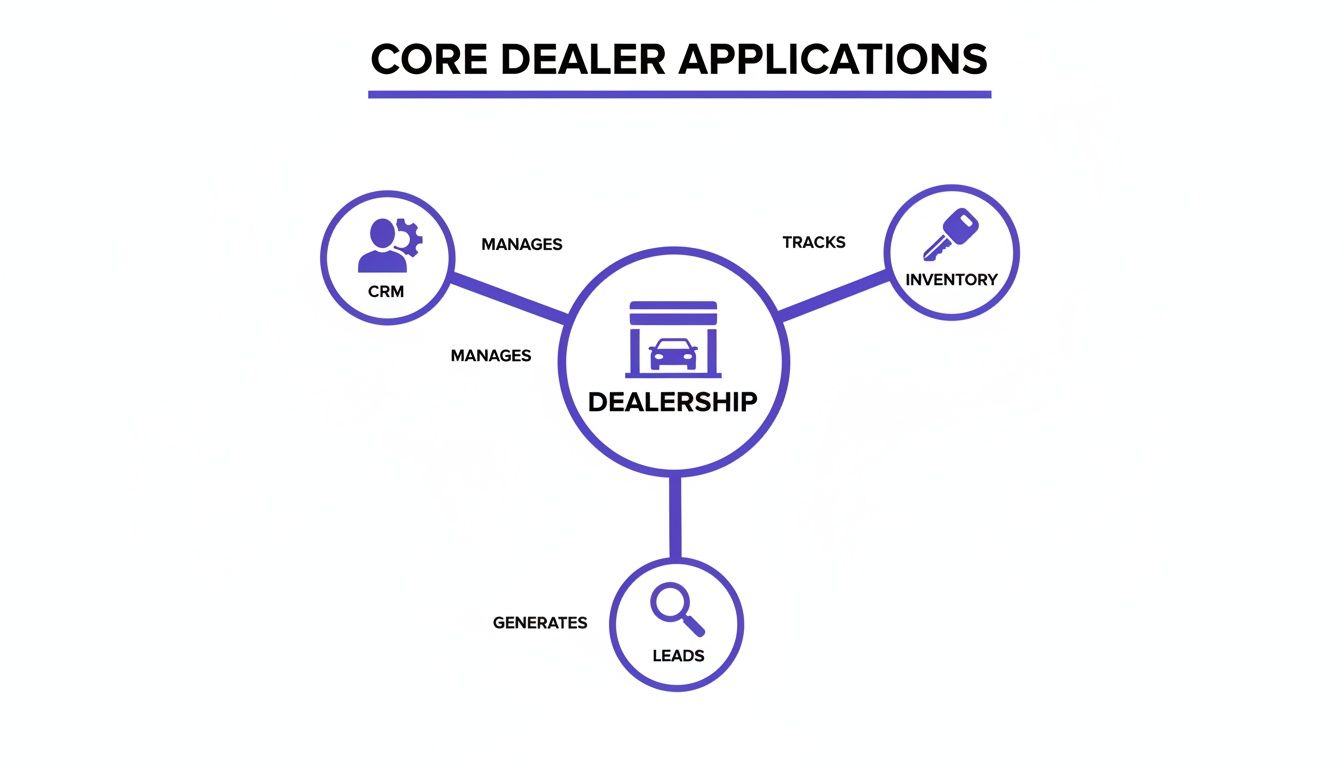
The image drives home the point: a truly connected system ensures that customer, vehicle, and sales data flows effortlessly between these vital functions.
Key Questions to Ask During a Demo
Arm yourself with pointed, practical questions that reveal how an app will actually perform in the wild. Vague promises won't help you on a busy Saturday morning.
- "Show me exactly how this connects to my current DMS and CRM." Make them walk you through the integration workflow on screen, not just tell you it’s possible.
- "Can my team manage this entire process from their phones out on the lot?" This is a simple yes or no. If you can, test it yourself during the demo.
- "What happens when a lead comes in at 10 PM on a Friday?" Get the specifics on the notification process. Does it send a text? An email? Or does someone have to be logged into a desktop dashboard to see it?
- "How long does it take to get a car from our lot onto our website with this tool?" Speed to market is everything. The process should take minutes, not hours.
Choosing technology is a strategic decision, not just an operational expense. The right tools should act as a force multiplier for your team, automating the busywork so they can focus on what they do best—building relationships and closing deals.
Start with a Powerful Foundation
Instead of trying to duct-tape a dozen different apps together, a much smarter approach is to start with a foundational platform that handles multiple jobs from the get-go. A purpose-built dealership website platform like AutoFire™ can be a far more efficient and cost-effective way to build your tech stack.
Think about it: a modern website platform already has many of the features you’d otherwise pay for separately.
- Built-in VIN Decoder: Instantly populates vehicle specs, slashing the time spent on manual data entry.
- SEO-Optimized Listings: Automatically creates vehicle detail pages (VDPs) that are designed to rank high on Google.
- Integrated Lead Capture: Ensures every inquiry from your site is captured and routed correctly without needing a separate form-building tool.
By choosing a platform with these features baked in, you immediately reduce complexity and cost. This lets you build a powerful, integrated system that helps you compete—without needing a massive budget or a full-time IT department. It’s all about working smarter, not harder.
Building an Integrated and Seamless Workflow
Having a list of powerful apps for car dealers is a great start, but making them actually talk to each other is what separates the pros from the amateurs. The real win isn't just owning the tools; it's building a cohesive system where data flows automatically from one step to the next. This creates a smooth ride for both your team and your customers.
Think of it like an automotive assembly line. Each station has a specific job, but the magic happens because the car moves effortlessly from one to the next without stopping. A disconnected app stack is the complete opposite. It's like having to manually carry the car frame between stations, creating bottlenecks and mistakes at every single handoff.
Tracing the Customer Journey in an Integrated System
To see how this works on the ground, let's follow a potential buyer we'll call Sarah. Her journey is a perfect example of how an integrated workflow turns a casual search into a real sales opportunity.
It all starts with a simple search.
- Discovery on Google: Sarah is looking for a reliable used SUV and, like most people, starts her hunt online. Because your dealership website is properly set up, one of your vehicles pops up in the Google Vehicle Listings.
- Visiting the VDP: She clicks and lands on a clean, professional vehicle detail page (VDP) on your website. The page loads fast on her phone and gives her everything she needs: great photos, clear specs, and a no-nonsense price.
- Submitting a Lead: Impressed, she fills out a simple contact form to ask about the vehicle's history.
This is the moment of truth—where an integrated system proves its worth. With a clunky setup, that lead might sit in an email inbox for hours, getting colder by the minute. But in a seamless workflow, a series of automated actions kicks off instantly.
The Power of Instant Automation
The second Sarah hits "submit," the real work starts behind the scenes. Your connected apps begin communicating without anyone lifting a finger, turning her simple question into a hot sales lead.
Here’s what’s happening in the background:
- Instant CRM Entry: The lead info from your website form is automatically pushed into your CRM. A new contact is created for Sarah, and the exact SUV she's interested in is linked to her profile.
- Sales Team Notification: At the same time, the CRM fires off a notification directly to an available salesperson's phone.
- Immediate Follow-Up: The salesperson sees the alert, opens Sarah's profile, and has all the context they need to make a relevant, timely call or text.
This entire process—from a customer submitting a form to your salesperson getting notified—should take seconds, not hours. The difference is automation. It eliminates the risk of leads falling through the cracks from manual data entry or simple delays.
This level of speed isn't a luxury anymore; it's a requirement to compete. By automating the handoff between your website, CRM, and sales team, you drastically shrink your response time and engage buyers while they are still highly interested.
Your Website as the Central Hub
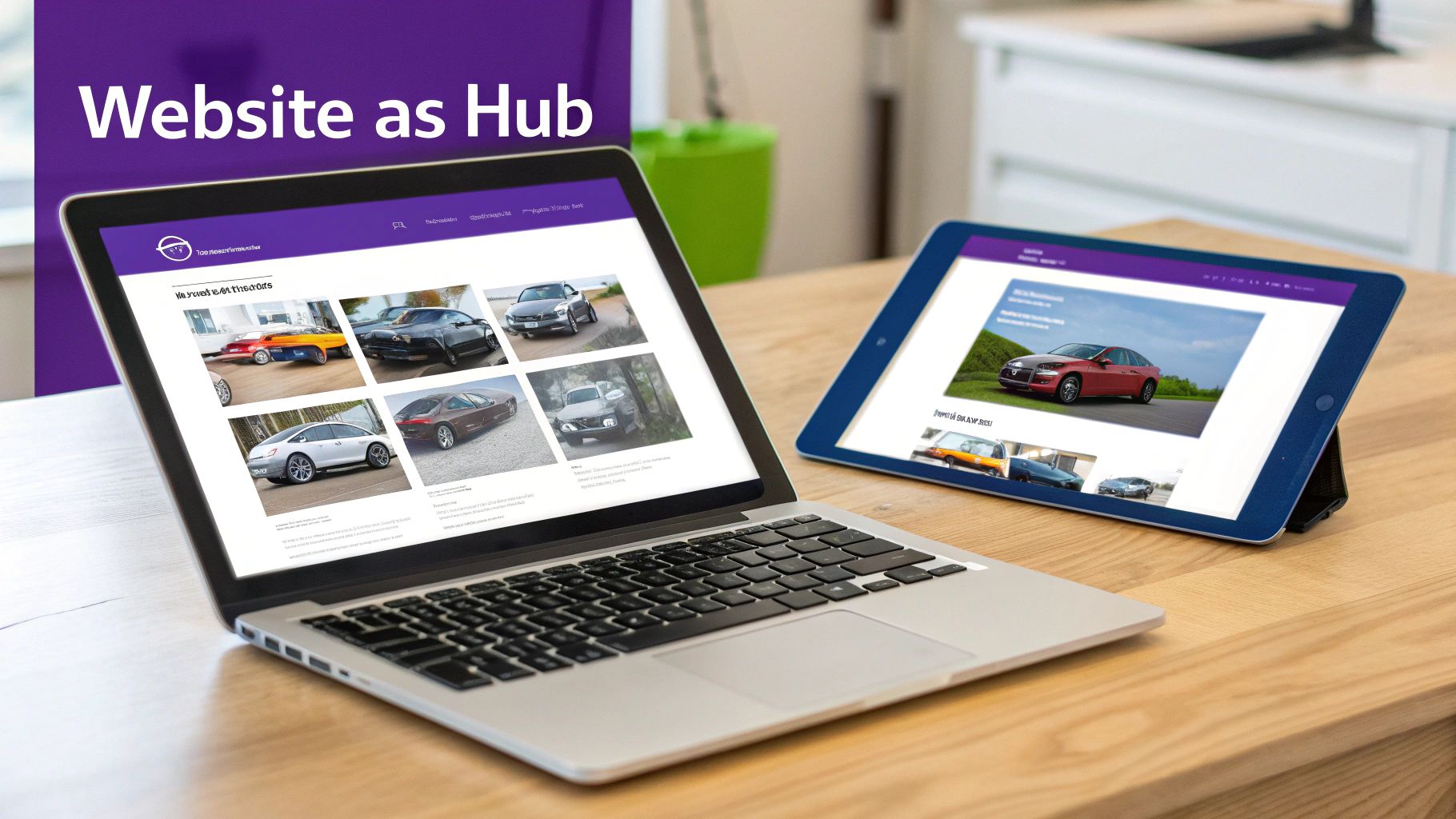
The key to making this all work is to treat your website as the central hub of your entire digital operation. It's the main stage for every customer interaction and the front door for nearly all your sales leads. A modern dealership website platform is built to be this hub, acting as the bridge between your online marketing and your back-end sales systems.
A well-built website doesn't just show off cars; it integrates cleanly with the other essential apps for car dealers, like your DMS or CRM. This ensures every piece of customer data captured on the front end is immediately available to your sales team. This connectivity is the foundation of a modern sales process. You can dig deeper into these strategies in our guide on lead generation for car dealerships.
By building an integrated workflow around a strong website, you create a powerful system that saves time, prevents lost opportunities, and delivers the fast, professional experience today's buyers have come to expect.
How a Modern Website Can Reduce Your App Overload
After you've connected your core systems, you might find yourself wondering if there's a smarter way to build your dealership's tech stack. It's easy to get caught in a cycle of adding more and more apps for car dealers, each with its own subscription and login. But what if you could eliminate a huge chunk of that app overload from the very beginning?
The secret is to start with the right foundation: a modern dealership website. Instead of seeing your site as just an online brochure, think of it as the central hub for your entire operation. A purpose-built platform isn't just one more tool to juggle; it's a core system designed to do the job of multiple apps, simplifying your workflow and cutting costs right out of the gate.
From Multiple Apps to a Single Platform
A truly effective dealership website does so much more than display your cars. It should be actively working for you—attracting buyers, capturing leads, and syndicating your inventory—and in the process, it can replace several standalone apps you might otherwise be paying for.
Here’s how a modern website platform can absorb the functions of other tools:
- It replaces a separate SEO tool. With search engine optimization baked right in, every vehicle you list automatically gets a properly structured, keyword-rich page that's built to rank on Google.
- It eliminates third-party form builders. Integrated lead capture forms are built directly into your vehicle detail pages, making sure every inquiry is captured instantly and reliably without a hitch.
- It reduces the need for separate listing tools. The best platforms automatically format and push your inventory to major channels like Google Vehicle Listings, saving you time and manual effort.
When you consolidate these functions, you create a system that's not only less complicated but also far more powerful. Your team has fewer dashboards to check, and you have fewer monthly bills to pay.
Your Website as a Competitive Advantage
The auto market is only getting more complex. For independent dealers, the ground is constantly shifting, with projections showing nearly 120 new EV nameplates are expected to hit the market by the end of 2026. This means dealership websites have to be smarter and more flexible than ever, ready to showcase a diverse range of inventory and give buyers the transparent information they demand. You can get more valuable insights from DealerClick on these automotive market trends.
A modern website platform is built for this new reality. It gives you the flexibility to present different fuel types, features, and specs in a way that’s crystal clear to your customers, helping your dealership stand out from the competition.
Your website shouldn't just be an online catalog; it should be your hardest-working salesperson. It works 24/7 to attract customers, answer their initial questions, and hand them off to your team as warm, qualified leads.
Building a Leaner, More Powerful Tech Stack
Starting with the right website platform is the key to building a more efficient and affordable tech stack. It becomes the core of your digital operations, with other essential tools like your DMS and CRM plugging into it, not the other way around. This model helps dealers compete without needing a dedicated IT department to manage a dozen different apps.
For a deeper dive into what makes a high-performing site, our guide on choosing an automotive website builder breaks it all down.
Ultimately, this approach is more than just a matter of convenience. It’s a strategic move that gives you a more robust, secure, and future-proof digital presence. It frees up your team from fighting with technology so they can focus on what they do best: selling cars.
Dealership Apps: Answering Your Top Questions
Jumping into new technology can feel overwhelming, especially when your main focus is on moving metal. I get it. Over the years, I've heard the same questions and concerns from hundreds of independent dealers trying to figure out which apps for car dealers are actually worth the investment. Let's clear the air and tackle those common hurdles head-on.
Think of this like a pre-purchase inspection for your dealership's software. You wouldn't buy a car without kicking the tires, and you shouldn't invest in tech without getting straight answers. My goal here is to help you cut through the noise and make smart, confident decisions.
What Are the Absolute Must-Have Apps for a New Independent Dealer?
When you're just starting out, the game is all about getting the fundamentals right without torching your budget. You need to look professional online, know exactly what's on your lot, and have a system for handling anyone who shows interest.
Forget the fancy bells and whistles for now. Focus on these three core tools:
- A Professional, Mobile-First Website: This is your digital showroom. A solid platform will automatically create SEO-friendly vehicle detail pages (VDPs) and have lead capture forms built right in.
- An Inventory Management System: You have to track your cars, your costs, and all the important details. This is often a core feature of a good Dealer Management System (DMS), which is the central nervous system of most dealerships.
- A Simple CRM or Lead Tracker: Even a basic spreadsheet is better than nothing, but a simple customer relationship management (CRM) tool is a game-changer. It ensures you follow up with every lead and no opportunity slips through the cracks.
The smartest move? Start with an all-in-one website platform that nails that first point. It gives you a strong, affordable foundation that can easily plug into your inventory system and CRM, creating a powerful trifecta from day one.
How Do I Get All My Different Dealership Apps to Talk to Each Other?
This is the million-dollar question. Integration is the secret sauce that saves you from mind-numbing data entry and the costly mistakes that come with it. Before you sign on the dotted line for any software, this should be one of your first questions.
Make vendors show you exactly how their tool connects with your existing systems, especially your DMS. Look for direct, pre-built integrations. If that’s not an option, ask if they support platforms like Zapier, which acts as a bridge between different apps without needing a developer.
The best strategy I've seen is to pick a central "hub" for your dealership's data—usually your website or CRM. From there, every new app you add should be able to feed information into that hub, not create its own separate database. This gives you a single source of truth for all your customer and vehicle info, keeping everyone on the same page automatically.
This simple approach prevents you from having customer data trapped in one system and inventory data in another, which is a recipe for chaos.
Do I Really Need to Build a Custom Mobile App for My Dealership?
For almost every independent dealer out there, the answer is a hard no. A custom-built mobile app is a money pit. It's incredibly expensive to develop, a headache to maintain, and the return on that investment is practically zero.
A much smarter, more effective strategy is to invest that money in a top-notch, mobile-responsive website. A modern site is designed to look and feel just like an app on any smartphone browser, but nobody has to download a thing. It’s always up-to-date and gives customers everything they need—browsing inventory, checking out photos, and submitting leads—right from their phone. Since a majority of car shoppers use their mobile devices for research, a fast, responsive site isn't a luxury; it's essential.
How Much Should I Actually Budget for Software and Apps?
Your software budget will obviously depend on the size of your operation, but the guiding principle should always be return on investment. Always prioritize platforms that roll multiple functions into one package instead of buying a dozen niche apps that only do one thing.
For example, a modern website platform can bundle your professional site, inventory listings, SEO, and lead capture tools into a single, predictable monthly subscription. That’s almost always going to be more cost-effective than paying four different vendors for each of those services.
Here’s a practical way to approach it: start with your non-negotiables, which are your DMS and a great website platform. After that, only add specialized tools if you can draw a straight line from that new expense to more sales, better efficiency, or a happier customer. This keeps your tech stack lean, mean, and budget-friendly.
Ready to build a powerful, efficient digital presence without the app overload? AutoFire delivers a modern, mobile-first website platform that consolidates your inventory management, SEO, and lead capture into one easy-to-use system. Launch your professional dealership site in minutes and start turning online shoppers into real customers. Learn more and get started for free at goautofire.com.
