
Think of your website as your best salesperson. It never sleeps, never takes a day off, and works 24/7 to bring customers to your lot. Car dealership website templates are the blueprints for this digital showroom, giving you a solid foundation to turn casual online browsers into real, qualified leads. They offer a fast, reliable, and much more affordable way to get a professional dealership site up and running.
Your Digital Showroom: Why Templates Matter
Not too long ago, getting a dealership website meant sinking a ton of money and time into a custom build. It was a massive headache. Today, high-quality, pre-built templates have become the go-to for independent dealers who want to compete with the big franchise stores without breaking the bank.
But don't mistake a template for just a pretty design. These are complete operational platforms, packed with the specific tools a dealership needs to function online. This approach takes the guesswork and technical stress out of the equation, letting you get back to what you're good at—selling cars.
The Modern Car Buyer Is Online First
The way people buy cars has completely changed. Today's car buyers do most of their research online before they even think about visiting a dealership. Your website is their first impression, and it has to be a good one. The market has exploded with hundreds of templates built specifically for dealers, making it easier than ever to meet customers where their journey starts. You can find more insights on this digital shift from the experts at rctheme.com.
This online-first reality means your website is the heart of your operation. It’s the place where potential customers will:
- Check out your current inventory
- Compare different models, features, and prices
- Play with financing calculators
- Book a test drive
A well-designed template makes every single one of these steps smooth and easy for the user.
Your website isn’t just an online brochure; it's a strategic tool designed to guide a visitor from initial curiosity to a scheduled appointment. The right template streamlines this journey, directly impacting your lead generation and sales from day one.
At the end of the day, using a template gets you online faster, cuts your upfront costs, and gives you a proven, industry-tested foundation to grow on. It’s all about using smart design and functionality to build a powerful digital showroom that captures leads and drives revenue.
Anatomy Of A High-Converting Dealership Template
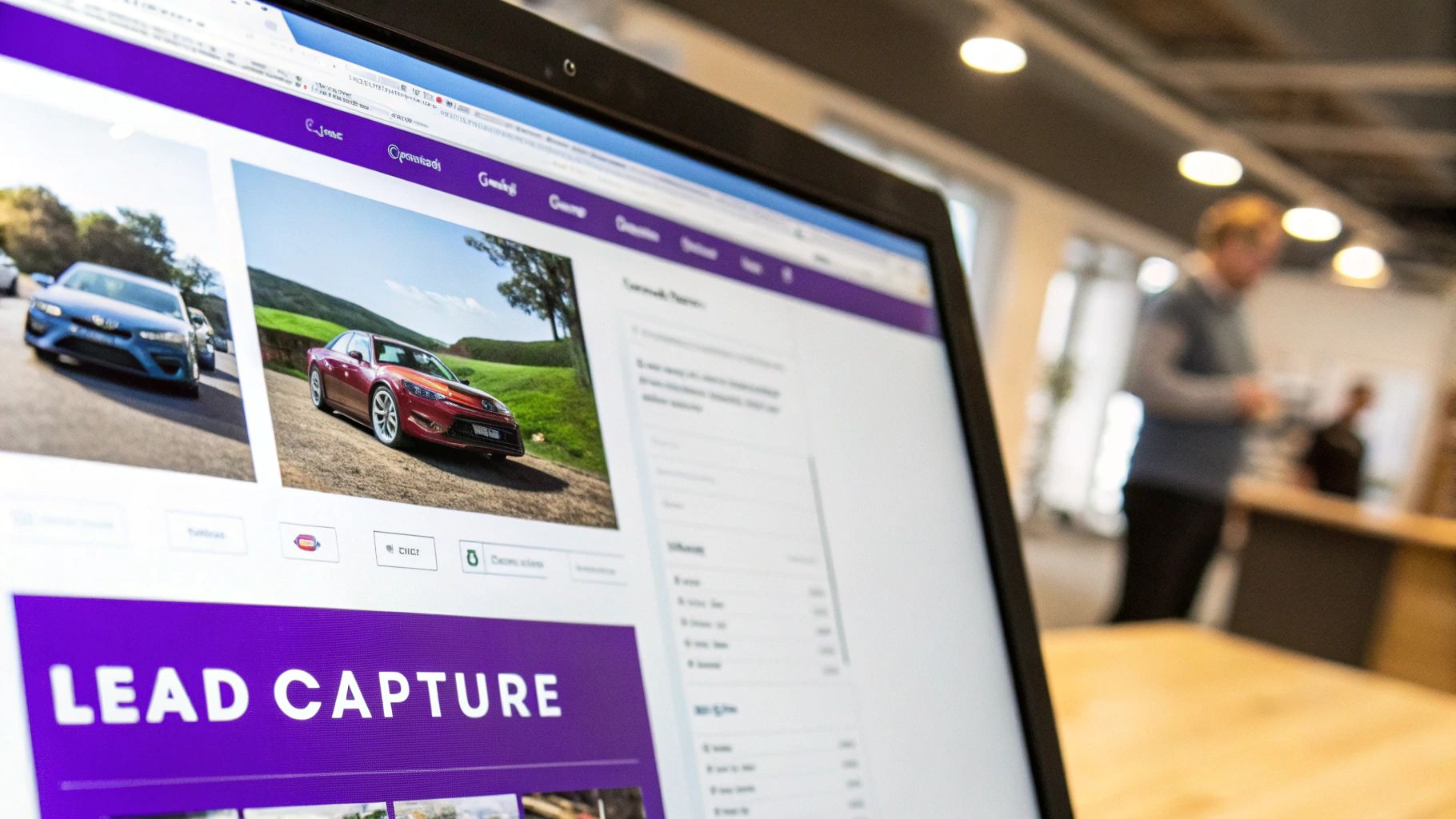
Let’s get one thing straight: the best car dealership website templates are much more than just a pretty face. They’re lead-generating machines, built from the ground up with one goal in mind—turning casual browsers into serious buyers. Think of your website less like a digital brochure and more like your best salesperson working 24/7.
Every piece of a great template is designed to guide a potential customer from the moment they land on your site to the second they book a test drive. These are the core features that stop your website from being just another business expense and start turning it into a real revenue driver.
A Powerful And Intuitive Inventory System
The absolute heart and soul of any dealership website is the inventory. This isn't just about listing cars; it's about giving customers an interactive catalog they can actually use and enjoy. A template built to convert makes digging through your stock feel effortless.
The most critical part? An advanced search filter. Your customers want to slice and dice their options instantly—by make, model, year, price, even mileage. The faster they can find the exact car they're dreaming of, the more likely they are to stick around.
A seamless inventory search is the digital equivalent of a helpful salesperson asking, "What can I help you find today?" It immediately directs customers to the vehicles most relevant to them, drastically improving their experience and your chances of making a sale.
From there, each vehicle detail page (VDP) needs to be its own self-contained sales pitch. This is where a built-in VIN decoder is a game-changer. It automatically pulls in all the specs, features, and history, saving you hours of manual data entry and, more importantly, building trust with buyers through total transparency.
Immersive Visuals And Smart Lead Capture Tools
People buy with their eyes first, especially when it comes to cars. Your template absolutely must support high-resolution photo galleries and, ideally, video. A good gallery lets a user zoom in, check for dings, and get a real feel for the car before they ever set foot on your lot.
But amazing photos are only half the story. You have to capture that initial spark of interest. This is where smart lead capture forms come into play. These shouldn't be buried on a "Contact Us" page; they need to be right there, on the VDP, where the buying decision is happening.
Look for templates with crystal-clear calls-to-action (CTAs) on every vehicle page, like:
- Schedule a Test Drive: This is your money-maker, the CTA that turns a "maybe" into an appointment.
- Request More Info: Perfect for catching buyers who are still in the research phase but have questions.
- Get ePrice: A fantastic tool for capturing leads from shoppers who are focused on the bottom line.
These little forms create a direct line from browsing to inquiry. An online financing calculator is another must-have. It lets buyers figure out their potential monthly payments and even get pre-qualified right on your site, which means the leads you get are that much more serious. Seeing how all the different AutoFire features work together can give you a solid idea of how a truly integrated system should feel.
Essential Features Checklist For Dealership Templates
Looks can be deceiving. A flashy design means nothing if the engine underneath can't perform. Use this checklist to prioritize functional features over purely aesthetic ones, ensuring your template is actually built to sell cars.
| Feature Category | Must-Have Feature | Why It's Critical For Sales |
|---|---|---|
| Inventory Management | Advanced Search & Filtering | Lets buyers find their perfect car in seconds, reducing bounce rates. |
| Inventory Management | Automatic VIN Decoder | Builds trust with transparent data and saves countless hours of manual entry. |
| Lead Generation | VDP Lead Capture Forms | Captures interest at the peak moment of excitement, directly on the vehicle page. |
| Lead Generation | Online Finance Application/Calculator | Pre-qualifies buyers and moves them down the funnel, delivering higher-quality leads. |
| Visual Experience | High-Resolution Photo & Video Galleries | Allows customers to visually inspect the car, building confidence to take the next step. |
| User Experience | Mobile-First, Responsive Design | Ensures a flawless experience for the significant number of users browsing on their phones. |
| SEO & Performance | Fast Page Load Speed | Prevents users from leaving out of frustration and is a major Google ranking factor. |
| SEO & Performance | SEO-Friendly Structure (Clean URLs, Meta Tags) | Helps your vehicles show up in local search results when customers are looking to buy. |
Remember, every feature should have a purpose: to make the customer's journey easier and your sales process more efficient.
Ultimately, a template that truly converts is a powerful combination of a rock-solid inventory system, compelling visuals, and intelligent lead capture tools. Each feature has a job to do—build trust, answer questions, and make it ridiculously easy for a customer to say, "Yes, I want to know more."
Powering Your Site With SEO And Performance
A gorgeous digital showroom is completely useless if local car buyers can't find it. Think of your website's design as the sleek body of a sports car; its Search Engine Optimization (SEO) and performance are the high-powered engine that actually makes it go. This is what gets your inventory in front of real customers the moment they type "used trucks near me" into Google.
The best car dealership website templates come with these critical performance features already built-in, saving you from a world of technical headaches. They are engineered from the ground up to be visible to search engines and deliver a fast, satisfying experience for every visitor. This isn't just a nice-to-have feature—it’s absolutely essential for turning online searches into on-the-lot sales.
The Need For Speed And Mobile Responsiveness
These days, speed is everything. If your vehicle detail pages take more than a couple of seconds to load, potential buyers will simply click away out of pure frustration. It’s a lost lead. A well-built template is optimized for speed, using clean, efficient code that loads inventory images and details almost instantly.
Just as important is a mobile-first design. With well over half of all web traffic now coming from smartphones, your website must look and work perfectly on a small screen. A responsive template automatically adjusts its layout to fit any device, ensuring customers can easily browse your cars, fill out a credit app, and get directions, whether they're on a desktop at home or on their phone during a lunch break.
Speaking Google’s Language With Structured Data
Beyond raw speed, your website needs to communicate clearly with search engines. This is where structured data, also known as schema markup, comes into play. Think of it as a special set of labels you add to your website's code that tells Google exactly what it’s looking at, leaving no room for guesswork.
A template built specifically for dealerships will automatically apply this special schema to your vehicle listings, labeling key details that shoppers want to see:
- Make and Model: Clearly identifying the vehicle.
- Price: Showing the cost directly in search results.
- Mileage: Providing a crucial data point for any used car shopper.
- VIN (Vehicle Identification Number): Offering a unique identifier for that specific car.
When your site uses structured data, Google can show off your cars as "rich snippets" right in the search results—complete with photos, pricing, and availability. This makes your listings far more eye-catching and informative than a simple blue link, driving more clicks from serious, qualified buyers.
Building Authority With Clean URLs And Content
Finally, a strong SEO foundation relies on a logical site structure and valuable content. Quality templates create clean, readable URLs for each vehicle (like yourdealership.com/inventory/2022-ford-f150-laramie) instead of messy, confusing strings of numbers and characters. This simple detail helps both users and search engines understand what the page is about at a glance.
Many of the top templates also come with an integrated blog. This isn't just for posting company news; it’s a powerful tool for attracting local buyers. By writing helpful articles like "Best Family SUVs for Under $20,000" or "What to Check When Buying a Used Truck," you build authority and capture search traffic from customers who are still early in their buying journey.
The impact of getting this right is enormous. One case study from NTT Motor Group, a network of over 50 dealerships, saw its website sessions jump by 300% after implementing optimized templates. This overhaul moved their average SEO positions from the forgotten third page of Google straight to the first, generating millions in new profit in just six months. You can explore the full story of how strategic templates boost dealership visibility. It's clear that choosing a template with a powerful SEO engine isn't an expense—it's a direct investment in your dealership’s growth.
How To Choose The Right Template For Your Dealership
Picking a website template is a lot like choosing the right lot for your dealership. Get it wrong, and you'll be wondering why no one's stopping by. Get it right, and you’re perfectly positioned to draw in traffic and close deals. This is your playbook for making a smart choice that actually fits your business and the customers you want to attract.
First things first, you need to be crystal clear about who you are and what you need. Are you a big, multi-franchise operation that has to sync inventory across several locations? Or are you a small, independent lot that specializes in classic cars or affordable vehicles for first-time buyers? The answer will tell you exactly which features are non-negotiable.
A high-volume dealer needs a template built to handle thousands of listings and heavy traffic. A boutique lot, on the other hand, might get more mileage out of a design that showcases beautiful photo galleries and features that help tell each car's story. Don't let a slick design distract you if it doesn't actually help you sell cars.
Analyze Live Demos Like A Customer
Once you’ve got a shortlist of potential car dealership website templates, it’s time to stop thinking like a dealer and start thinking like a customer. Every provider has live demos—use them. And I don’t mean just clicking around for a minute. You need to actively try to do what a real car shopper would do.
Your mission is to test the entire journey. Can you find the search bar right away? How easy is it to filter by make, model, and price? Pick a car and see how fast you can get to its vehicle detail page (VDP), browse all the photos, and find the "Schedule Test Drive" button.
The best way to judge a template's user experience is to test it with a specific goal. If you get lost or frustrated trying to find a specific SUV or a contact form, you can bet your customers will too. And they'll just leave.
Most importantly, do all of this on your phone. A design that looks amazing on a big desktop monitor can feel cramped and impossible to use on a mobile screen. A huge chunk of your traffic will come from people on their phones, so a bad mobile experience is an absolute deal-breaker.
Key Evaluation Criteria For Your Shortlist
After you’ve kicked the tires on the customer-facing side, it’s time to look under the hood. The technical and support elements are just as critical as the design itself because they'll impact your day-to-day operations.
-
Quality of Developer Support: What’s the plan when something breaks at 5 PM on a Friday? Dig into reviews and forums to see what kind of support the template developer actually provides. Is there a dedicated team you can call, or are you stuck with a basic FAQ page? Quick, knowledgeable support is worth its weight in gold when your site is down.
-
Third-Party Tool Compatibility: Your website isn't an island. It has to talk to your other critical business systems, like your CRM for managing leads or your DMS for tracking inventory. Before you sign on the dotted line, confirm the template plays nice with the software you already use. This is crucial for seamless inventory updates and making sure new leads go where they're supposed to.
-
Customization Potential: You're starting with a template, but you need the freedom to make it yours. Can you easily change the colors to match your branding, upload your logo, and tweak the homepage to feature your latest promotions? A great template provides a solid skeleton but lets you put your own skin on it so you don't look like a carbon copy of your competitor down the street.
The market for these templates is massive. Platforms like Colorlib offer over 18 top car dealer templates, and you can find 75+ designs on Figma, covering everything from rentals to repair shops. The best ones focus on user-friendly design. Dealer.com, for example, excels with inventory tools and marketing features that are perfect for large franchises. To get a feel for the wide range of possibilities, you can explore some of these diverse automotive template options yourself.
Making The Template Your Own With Customization
Let's tackle the biggest fear dealers have about using a template: looking generic. It's a fair point. If you and the dealership across town start with the same blueprint, how do you make your digital showroom stand out?
Here's the secret: a quality template isn't a rigid box. It's a flexible foundation, a starting point designed for you to build upon. Think of it like a brand-new, move-in-ready building. The structure is solid, the layout is smart, but the walls are bare. It’s up to you to hang your sign, paint the walls, and arrange the inventory in a way that tells your story.
This isn't just about avoiding a cookie-cutter look. It's about injecting your brand's personality into every pixel to build trust and create an experience that separates you from the competition.
Infusing Your Brand Identity
First things first: branding. This is where you swap out the placeholder elements for your own, a quick process that completely changes how customers see your business online.
Your logo is the face of your dealership, so it needs to be front and center. A good template will have a designated spot for it right in the header. Make sure you upload a high-resolution version so it looks crisp and professional on every device, from a big desktop monitor to a smartphone.
Next up, your color scheme. Most modern templates come with a simple color palette customizer. This is where you’ll plug in your primary and secondary brand colors for things like headlines, buttons, and links. This simple step creates a cohesive look that reinforces who you are the second a visitor lands on your site.
Aligning Typography With Your Market Position
Fonts do more than just display words—they set a mood. The typography you choose should match your market position and the kind of buyer you’re trying to attract. Are you a high-end luxury dealer, or do you specialize in affordable, reliable cars for first-time buyers?
-
Luxury & Premium Dealerships: Consider clean, elegant serif fonts (like Garamond or Playfair Display) for headlines. They convey a sense of sophistication and class. Pair them with a simple, readable sans-serif font for the main body text.
-
Budget-Friendly & Family Lots: Friendly, modern sans-serif fonts (like Lato, Montserrat, or Roboto) are often the way to go. They feel approachable and clean, which fits perfectly with a brand built on trust and value.
Many templates integrate with Google Fonts, giving you hundreds of professional options to choose from without touching a line of code.
The goal isn't just to pick a font you like. It's to select one that subconsciously communicates your brand's core values. This subtle detail helps build a connection with your target audience before they even read a single word about your cars.
Customizing The Homepage Layout
Your homepage is your digital storefront window, and a flexible template gives you control over the display. You don't have to be stuck with the default layout. Modern templates often use a block-based or drag-and-drop editor, letting you rearrange sections to highlight what makes your dealership different.
Is your service department a huge part of your business? Move that section higher up the page. Running a big holiday sale? Add a promotional banner right at the very top. This control ensures your most compelling offers and unique selling points are the first things visitors see. You can explore a live demo to see how modern features come together to create a powerful, customized user experience.
Planning A Smooth Website Launch
Rolling out a new website can feel like prepping for a big Saturday sale—a little chaotic, but totally worth it when done right. The whole point is to switch over to your new, high-powered car dealership website templates without a single hiccup for your customers or a drop in your hard-earned SEO rankings.
A smooth launch plan actually starts long before the "go-live" date. First things first: back up your current site. I'm talking about your entire inventory database, all those blog posts you wrote, and every custom page. Treat it like an insurance policy for your digital assets. You can't afford to lose a thing.
Your Pre-Launch Migration Checklist
Once your data is safely tucked away, it's time to start moving everything over. This is where you migrate your vehicle listings and blog content into the new template's framework. You need to be meticulous here to avoid confusing Google or frustrating visitors with broken links and missing pages.
301 redirects are absolutely non-negotiable. Think of them as a digital change-of-address form. They tell search engines exactly where a page has moved, transferring all its SEO value to the new URL. Skipping this is like moving your dealership to a new lot and forgetting to leave a forwarding address—nobody will find you.
This migration is also the perfect time for a little spring cleaning. Make sure your vehicle data is spot-on, the photos are crisp, and the descriptions are compelling before they go on the new site. You want to start fresh with your best foot forward.
The next step is making the template your own by adding your dealership's unique branding—your logo, color scheme, and fonts. It's a straightforward but vital process to ensure the site looks like your dealership, not a generic clone.
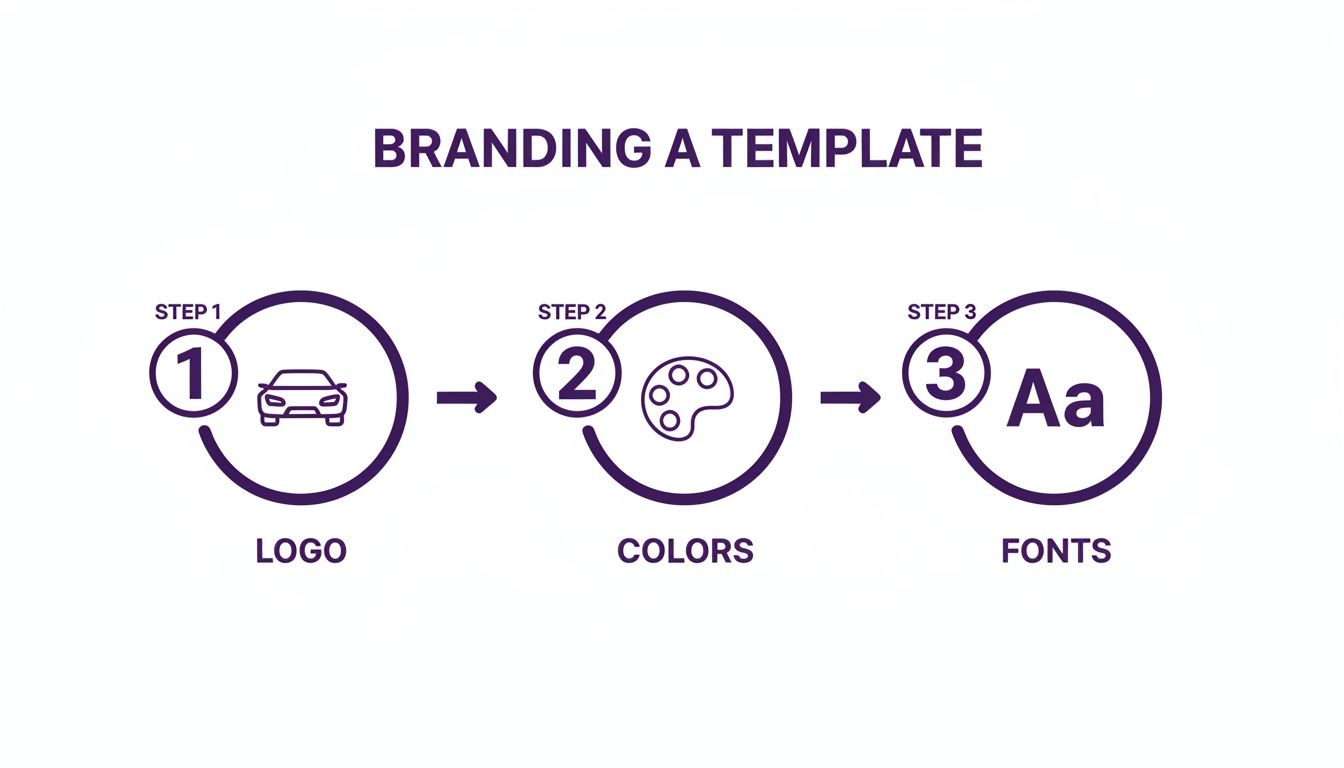
As you can see, just a few key changes are all it takes to transform a great template into a website that feels completely custom to your brand.
To keep everything on track, a checklist is your best friend. Follow this simple guide to make sure nothing gets missed during the transition.
Pre-Launch Website Migration Checklist
Follow this step-by-step checklist to ensure a smooth and successful transition to your new website template.
| Phase | Task | Status |
|---|---|---|
| Preparation | Full backup of existing website (database, files, images). | ☐ |
| Preparation | Audit existing content and URLs for redirect mapping. | ☐ |
| Migration | Transfer all inventory data to the new platform. | ☐ |
| Migration | Migrate blog posts, articles, and other static content. | ☐ |
| SEO | Implement 301 redirects from old URLs to new URLs. | ☐ |
| Branding | Apply new logo, color palette, and brand typography. | ☐ |
| Testing | Test all forms (contact, finance, trade-in) and lead routing. | ☐ |
| Testing | Check website functionality on desktop, tablet, and mobile. | ☐ |
| Final Review | Final crawl of the new site to check for broken links (404s). | ☐ |
| Launch | Update DNS settings to point to the new server. | ☐ |
| Post-Launch | Monitor Google Analytics and Search Console for issues. | ☐ |
Having a structured plan like this takes the guesswork out of the process and minimizes the risk of costly mistakes.
Final Checks And Go-Live
With your content in place and the branding dialed in, it's time to kick the tires. And I mean really kick them. Click through every single page. Fill out every form. Test every link on a desktop, a tablet, and especially your phone. Double-check that every lead form actually lands in your sales team's inbox. If you need a hand getting your lead management process set up, our team is ready to help when you contact our support experts.
The payoff for getting this right can be huge. A successful platform migration can lead to significant growth in website traffic and improved search engine rankings, potentially adding millions to gross profit. A well-chosen template built for powerful inventory management and content marketing can be the secret to this success.
Once you’ve confirmed everything is working flawlessly, you're ready to flip the switch. A successful launch isn't about luck—it's about following a detailed plan to protect your business and set your new digital showroom up for success from day one.
A Few Final Questions
Jumping into the world of car dealership website templates usually brings up a handful of last-minute questions. It's smart to get clear answers before you pull the trigger. Here are the things most dealers ask right before they make a decision.
Are Premium Templates Really Worth It Over Free Ones?
The short answer is yes, and the difference is huge. It all boils down to features and support. A free template can get a basic site up, but that's about it. They almost always miss the critical sales tools and dedicated support you'll need when something goes wrong.
Think of a premium template as an investment in your sales pipeline. It’s what gives you the good stuff—like VIN decoders, trade-in estimators, and online financing calculators—that actually turn casual browsers into solid leads.
How Much of a Tech Whiz Do I Need to Be?
Honestly, not much at all. Modern dealership website builders are made for car guys, not coders. Most come with simple dashboards and drag-and-drop editors. If you can update your dealership's Facebook page, you've got all the skills you need to manage your website and keep your inventory fresh.
For the initial setup or moving a ton of data from an old system, you might want a developer for a couple of hours, but after that, you should be able to fly solo.
Can I Hook Up My Current Dealer Management System?
Absolutely. In fact, if a template can't connect to your DMS, you should walk away. Any high-quality platform is built to integrate with the major Dealer Management Systems using data feeds or an API.
Crucial Tip: Before you buy anything, double-check that the template is compatible with your specific DMS. Read the documentation or just email the provider and ask. This is non-negotiable. A solid DMS integration is what keeps your online inventory perfectly in sync with your lot, saving you from a world of manual data entry headaches.
This link is the key to automating your business and making sure a car a customer sees online is actually available.
How Often Will I Need to Update This Thing?
You'll want to handle updates in two different ways. First, whenever the template provider releases a security patch or a small feature update, apply it right away. These are usually quick and keep your site safe and running smoothly.
As for a complete visual overhaul? It's a good rule of thumb to rethink your website’s overall design every 3 to 4 years. Technology and customer expectations change fast. A refresh every few years keeps your digital showroom from looking like a relic from the past and ensures you're giving buyers the modern experience they expect.
Ready to launch a professional, lead-generating website in minutes? AutoFire provides a modern, mobile-first platform built for independent dealers. Get started for free and see how easy it is to showcase your inventory and attract more buyers. Explore your options at goautofire.com.